Release Date: 09/22/2026
Overview:
AI-Powered Email Response Intelligence helps agents identify customer emails awaiting a response, prioritize conversations, and generate AI-assisted reply drafts.
The feature works across InsuredMine-connected Work email conversations and provides visibility through the Pipeline, Contact, Account, Activity Dashboard, and Work Email modules.
Important: AI suggestions are recommendations only. Agents must review and approve a response before sending. The system does not automatically send email. |
Beta Feature: AI-Powered Email Response Intelligence is currently available as a Beta version. The feature is actively being improved, and its behavior, accuracy, and AI-generated recommendations may be enhanced in future releases. |
Prerequisites
Before using AI-Powered Email Response Intelligence:
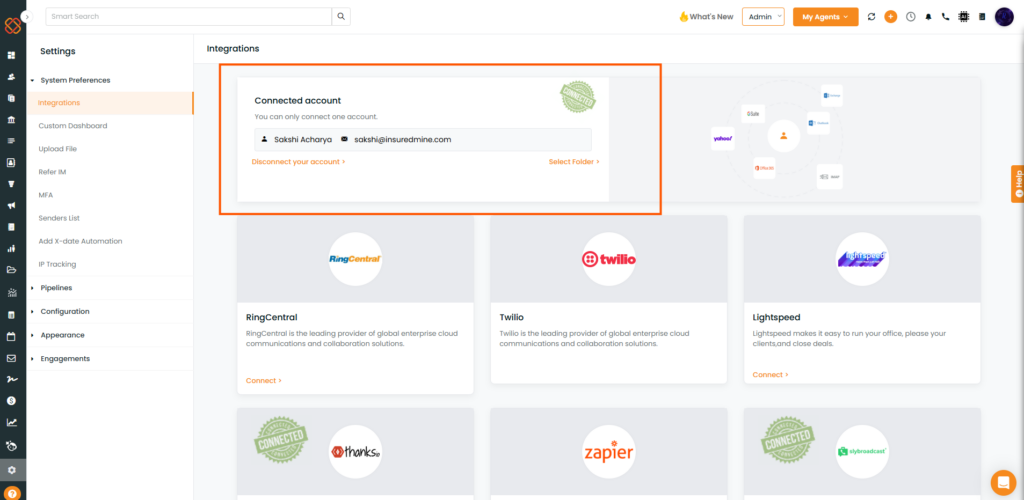
- Your work email mailbox must be connected.
2. The email conversation must be associated with a CRM-linked Pipeline Card, Contact, or Account.
3. The incoming email must meet the feature’s email eligibility criteria.
4. The email must be sent from an eligible work email address.
Email Date Eligibility
Different parts of the feature have different effective dates:
Feature | Email Date Requirement |
Awaiting Reply Flag | Flagging is available for email responses received after August 5th, 2026 |
AI-Generated Draft | AI drafts are generated for eligible emails received after September 14th, 2026 |
Important: An older email response may not display the Awaiting Reply flag, and an email received before September 14, 2026 will not generate an AI draft.
Important Email Eligibility Rule
An email will only be considered for flagging when it is sent from a work email address.
If the email is sent from a verified email address on the sender list, it will not trigger an Awaiting Reply flag or an AI-generated draft.
Note: Not every email received in a connected mailbox will result in an Awaiting Reply flag or AI-generated response.
The feature does not apply to unlinked inbox correspondence or mailboxes outside the supported integration.
Feature Workflow
The feature follows this workflow:
Customer Reply → Awaiting Reply Flag → AI Priority Queue → AI Suggested Reply → Agent Review & Send
The feature is delivered in three stages:
- Awaiting Reply Indicators & Filters Released on 08/05/2026
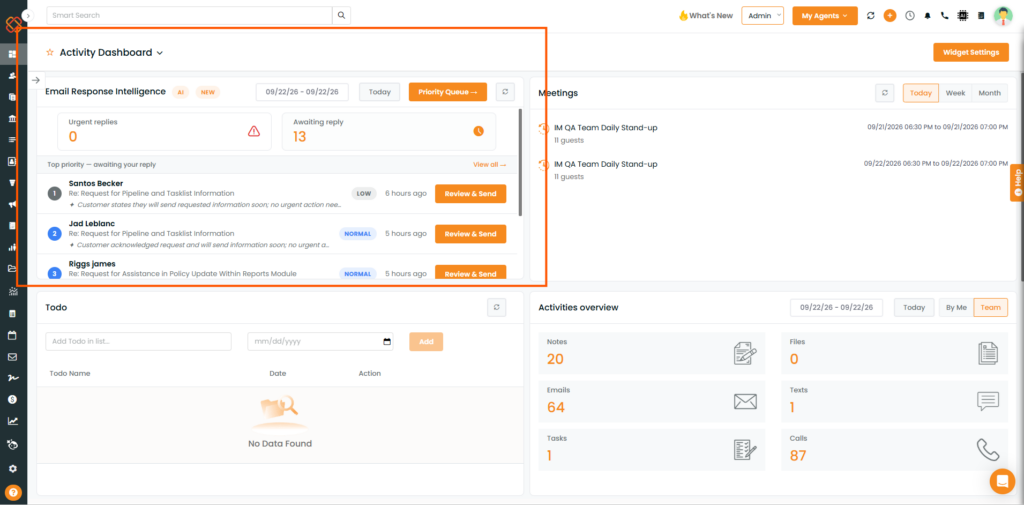
- Activity Dashboard & AI Priority Queue
- AI Response Draft Generation
How It Works:
Step 1: Identify an Awaiting Reply
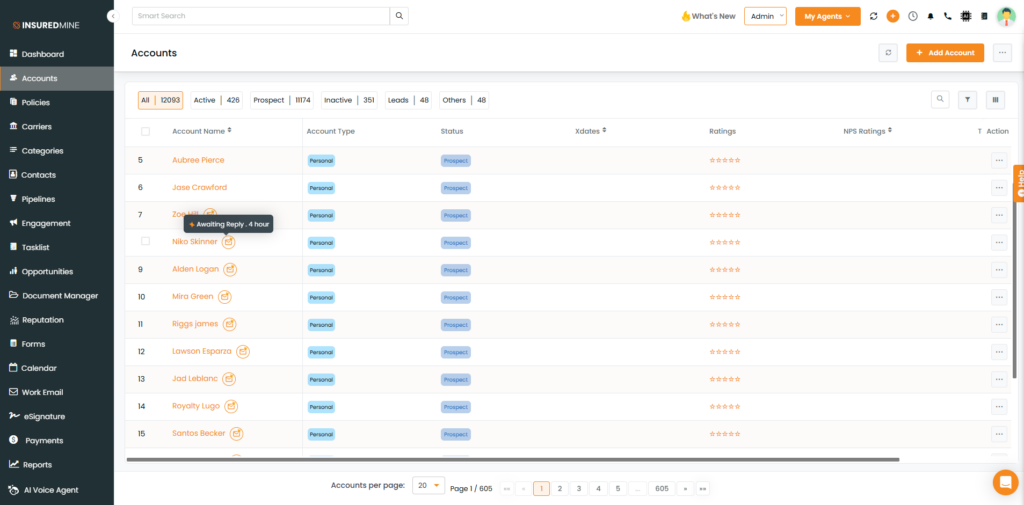
When an eligible customer reply is received, InsuredMine identifies the email conversation and applies an Awaiting Reply flag to the relevant InsuredMine record.
Depending on the relationship between the email and InsuredMine records, the flag can appear on:
- Pipeline Card
- Contact
- Account
The Awaiting Reply indicator is visually displayed on the applicable record.
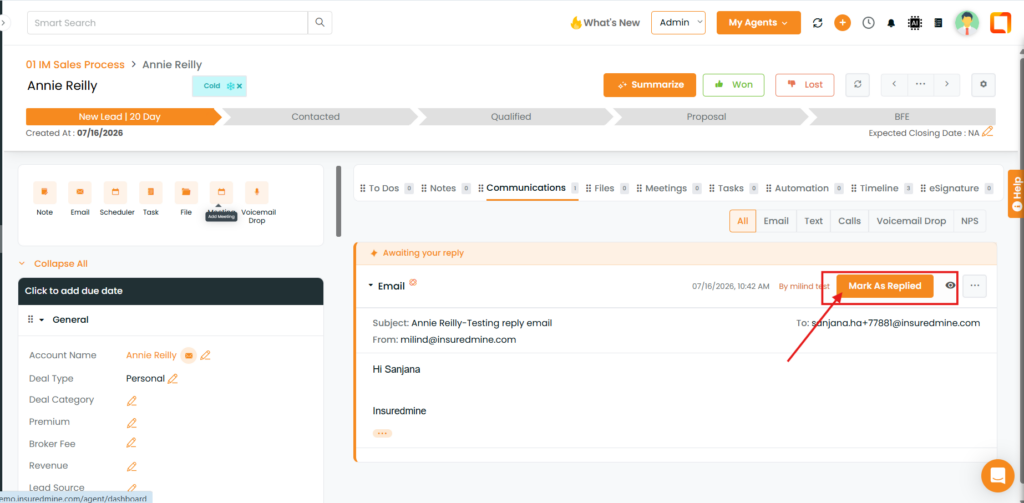
The flag is removed when:
- An agency user replies to the customer.
- A user manually marks the conversation as “Marked as Replied”.
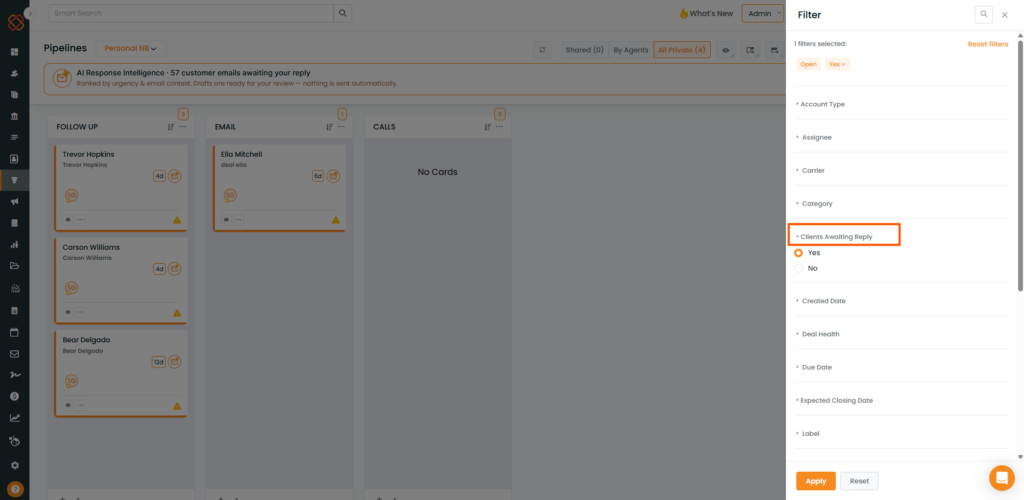
Step 2: Use the Awaiting Reply Filter
The Awaiting Reply filter is available in:
- Pipeline
- Contact
- Account
Use the filter to display only records that currently have an active Awaiting Reply status.
This allows agents to quickly identify conversations that require attention.
Step 3: Review the AI Reply Queue
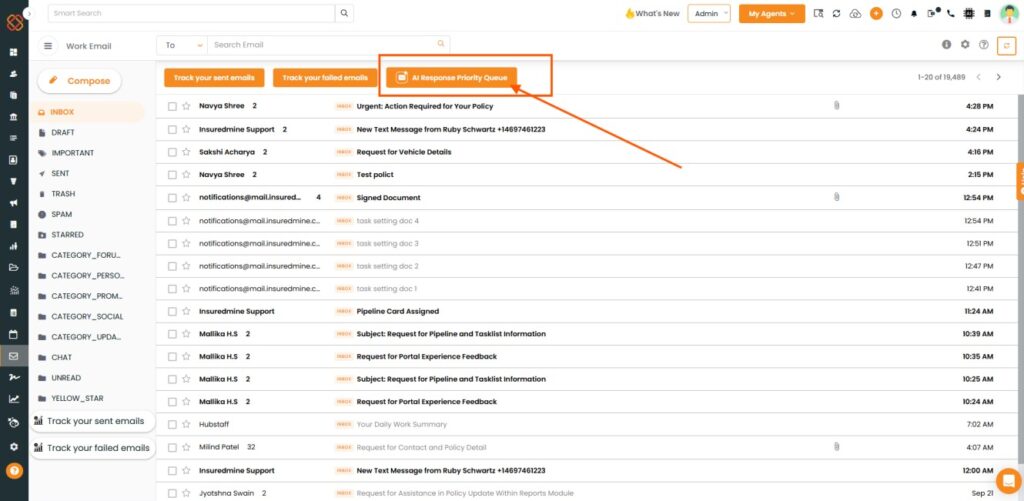
Go to the Work Email module to access the AI Reply / Priority Queue.
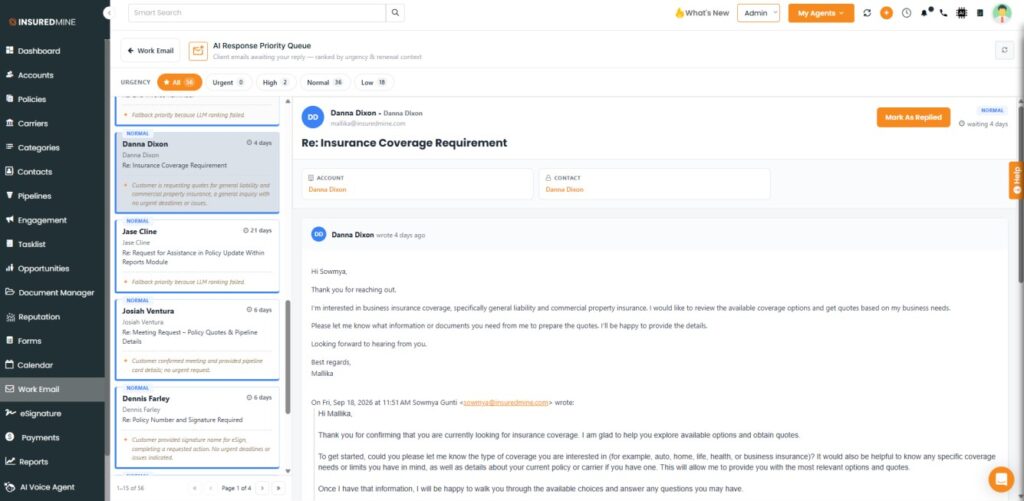
The queue displays eligible customer emails awaiting a response and organizes them according to AI-generated priority.
Available urgency levels include:
- Urgent
- High
- Normal
- Low
Each queued conversation includes an AI-generated reason explaining why the conversation received its priority.
Step 4: Review the AI Suggested Draft Response
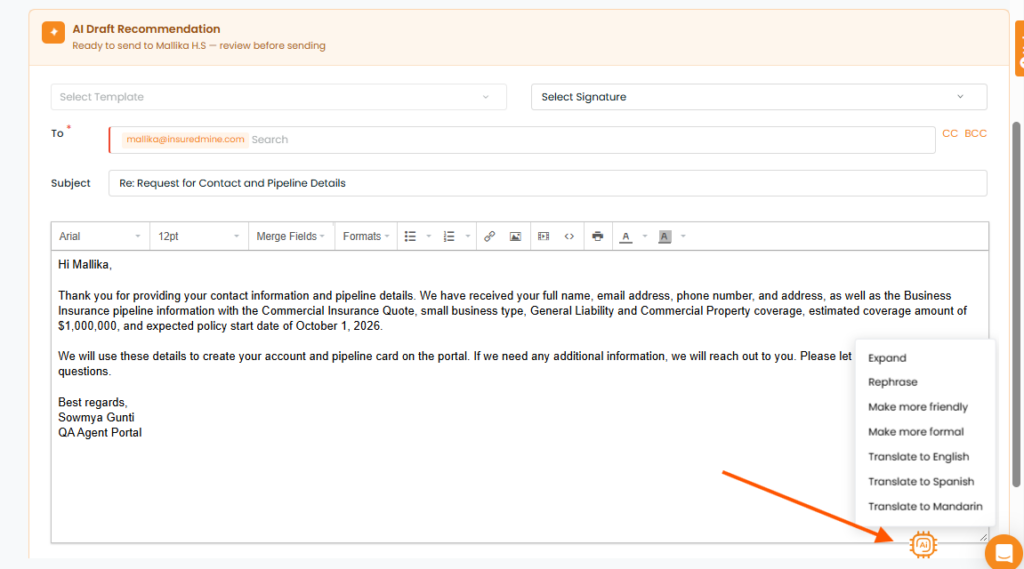
For eligible conversations, the system can generate an AI Suggested Reply.
The suggested response includes:
- Email subject
- Email body
- Reasoning explaining the suggested response
The draft can be edited before sending.
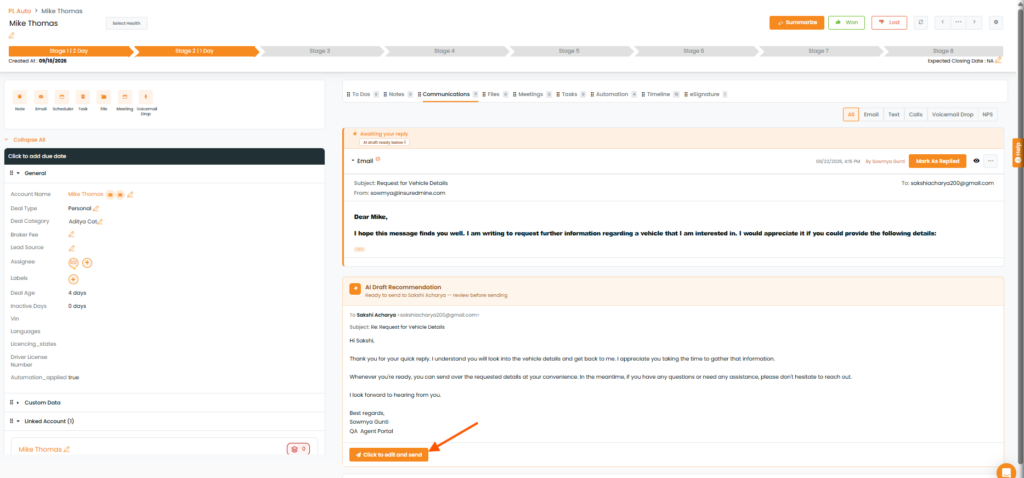
Step 5: Edit or Update and send
Prior to delivering the email, the agent has the ability to:
- Choose Rephrase, change the tone to refine and enhance the message content.
- When the response is ready, the agent must explicitly select Send Reply.
- AI-generated responses are never automatically sent. Human approval is mandatory before an email can be dispatched.