


Release Date: 10/22/2026
Overview
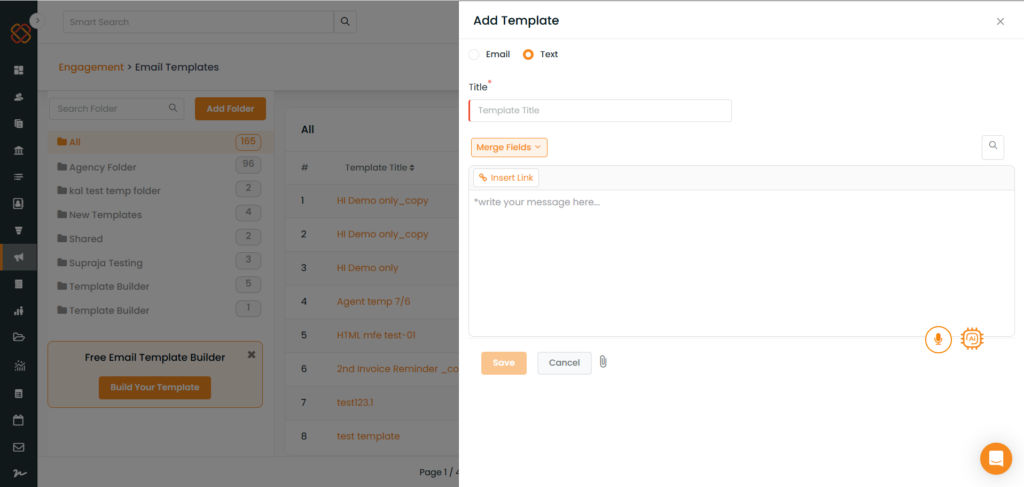
Previously, when sending a text message, users had to paste the complete URL directly into the message textbox. This often resulted in long URLs appearing in the SMS, making the message less readable.
With this enhancement, users can now use the Insert Link option to add a URL with custom display text while composing a text message.
Enhancement
The Insert Link option allows users to enter a URL and specify the text they want to display in the message. This makes it easier to share links without displaying the full URL in the message content.
How It Works
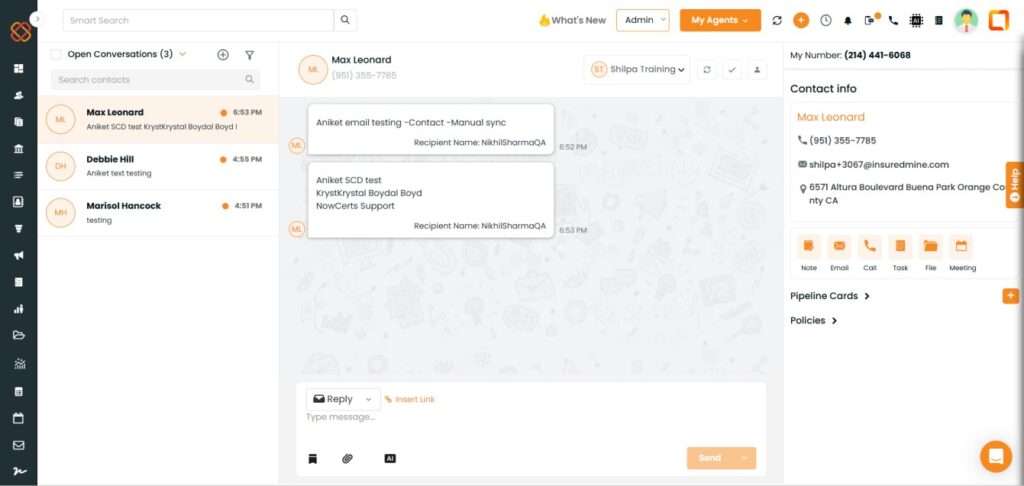
- Navigate to the Send Text section.
- Enter the text message in the message textbox.
- Click on Insert Link.
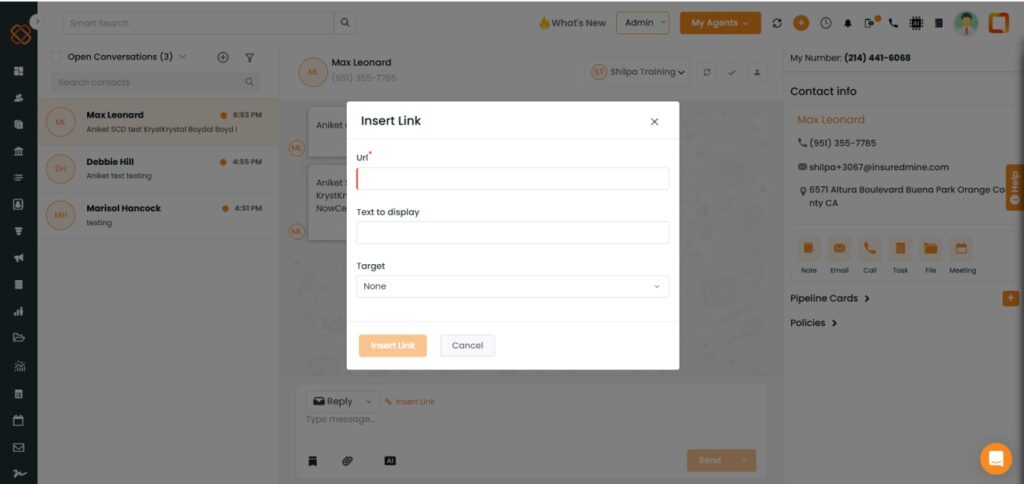
- A popup will appear with the following fields:
- URL: Enter or paste the URL you want to share.
- Text to Display: Enter the text that should appear in the message.
- Enter the required details and insert the link into your message.
- Review the message and click Send to send the text.
Example
URL: https://example.com/document/12345
Text to Display: View Document
Instead of displaying the complete URL in the message, users can use the custom display text to keep the message content clean and readable.
Benefits
- Avoids displaying long URLs directly in the message content.
- Allows users to customize the text displayed for a link.
- Improves the readability of text messages.


