Home » Knowledge Base » Agent Dropdown in CC and BCC Field While Sending Email
Quick Actions
Agent Dropdown in CC and BCC Field While Sending Email
March 9, 2026
Release Date: March 2, 2026
A new “Select Agent Dropdown” option has been added to the CC and BCC fields in the Send Email Option. This enhancement allows users to easily include internal agents in email communications directly from the dropdown, improving collaboration and visibility.
Use Case: This feature enables users to quickly add agents as CC and BCC recipients while sending emails to clients.
It helps keep relevant team members informed, ensures transparent communication, and eliminates the need to manually enter agent email addresses.
To view the Enhancement:
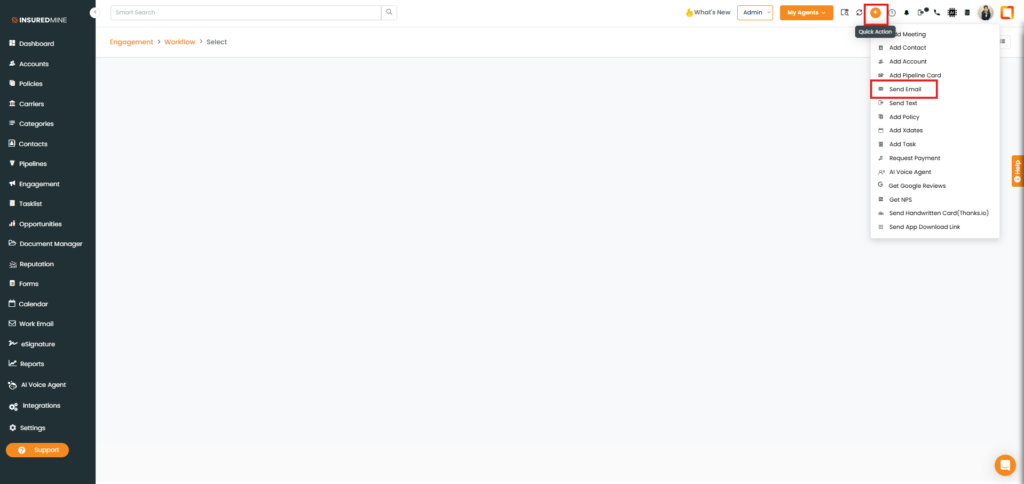
Navigate to the Header menu.
Click the Quick Action icon and select Send Email from the dropdown.
Note: The Select Agent dropdown is available wherever emails can be sent in the portal.
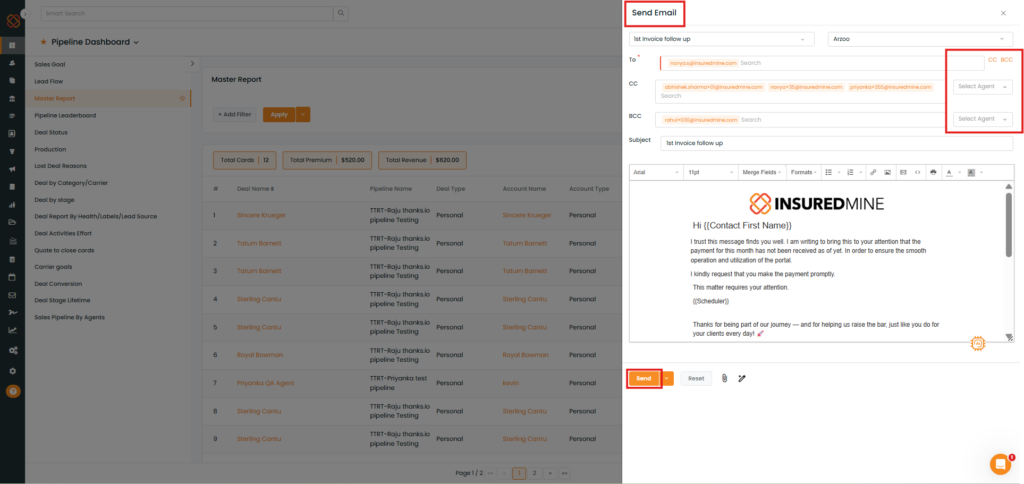
A Send Email panel appears on the right-hand side.
As shown below, a new Select Agent dropdown option has been added to the CC and BCC fields.
Select the preferred agent from the dropdown.
Fill in the required fields.
Click Send.
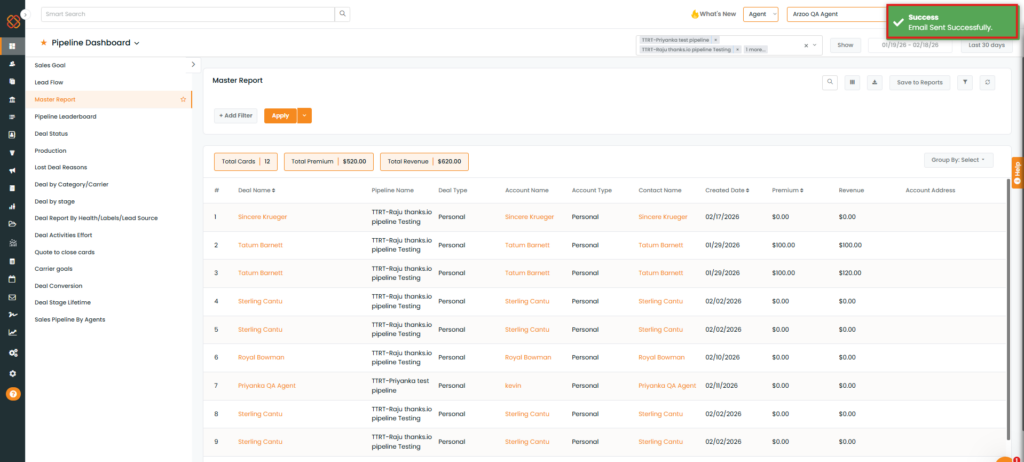
A success pop-up: “Email Sent Successfully ” appears.