Home » Knowledge Base » AMS Filter Handling for Sync Failure and In-Progress Status in Accounts/Contacts/Policies
Data Management
AMS Filter Handling for Sync Failure and In-Progress Status in Accounts/Contacts/Policies
February 25, 2026
Release Date:- 25 February, 2026
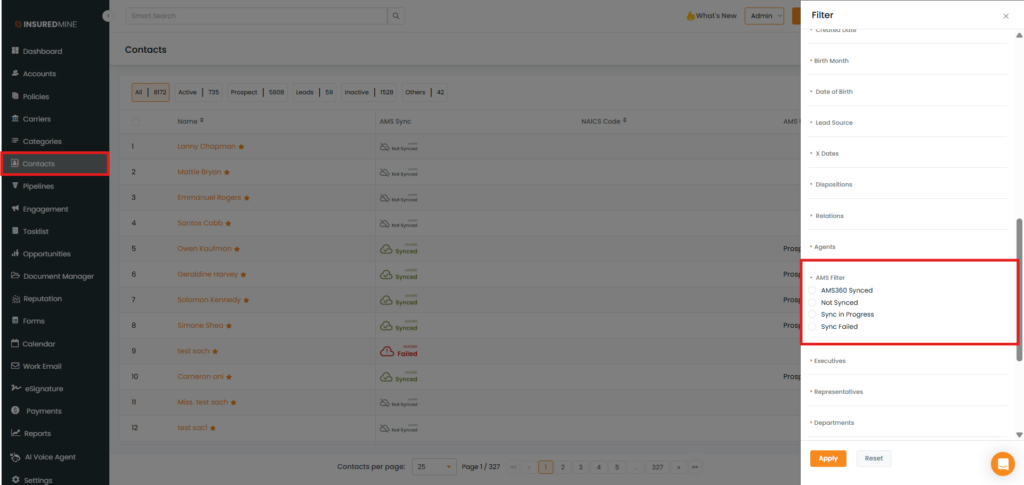
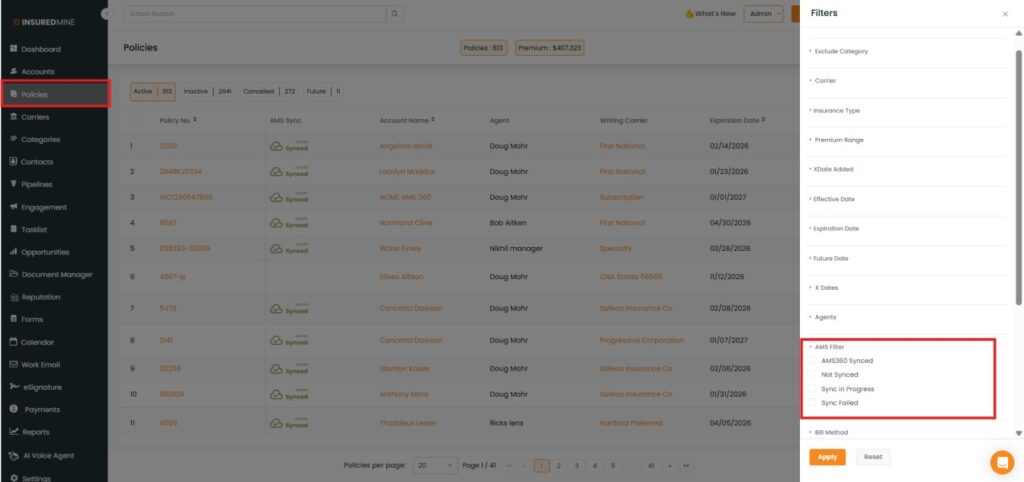
We have introduced a new enhancement in the Accounts, Contacts, and Policies sections. A new AMS Filter is now available, allowing users to filter data by AMS360 Synced, Not Synced, Sync In Progress, and Sync Failed statuses. This enhancement provides better visibility and clarity into the AMS sync status of each account, contact, and policy.
Use Case:This AMS Filter helps users promptly troubleshoot issues, avoid data inconsistencies, save time, and ensure accurate synchronization between InsuredMine and AMS360. It reduces manual checking and improves overall data management efficiency.
Note: This feature is available for AMS360, NowCerts, and Epic.
To view the enhancement:
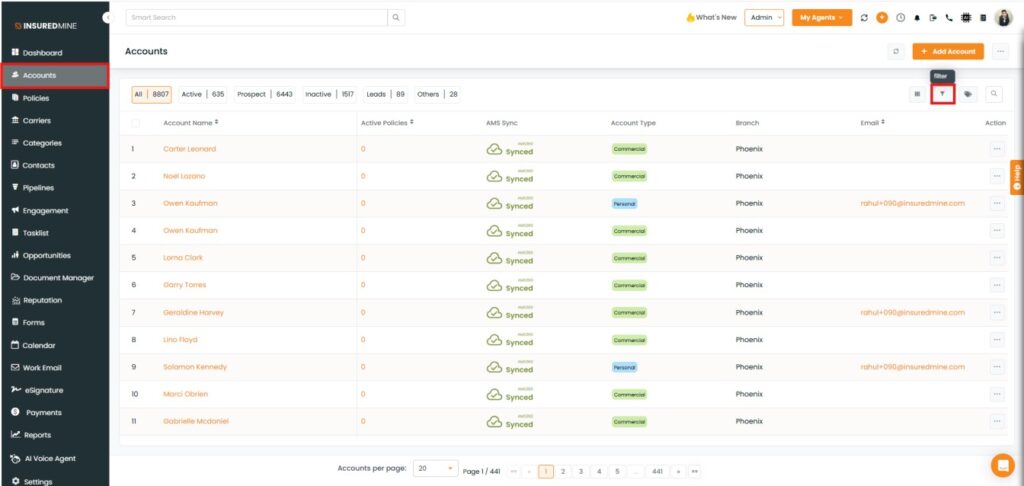
Navigate to Accounts.
As shown below, click the Filter icon.
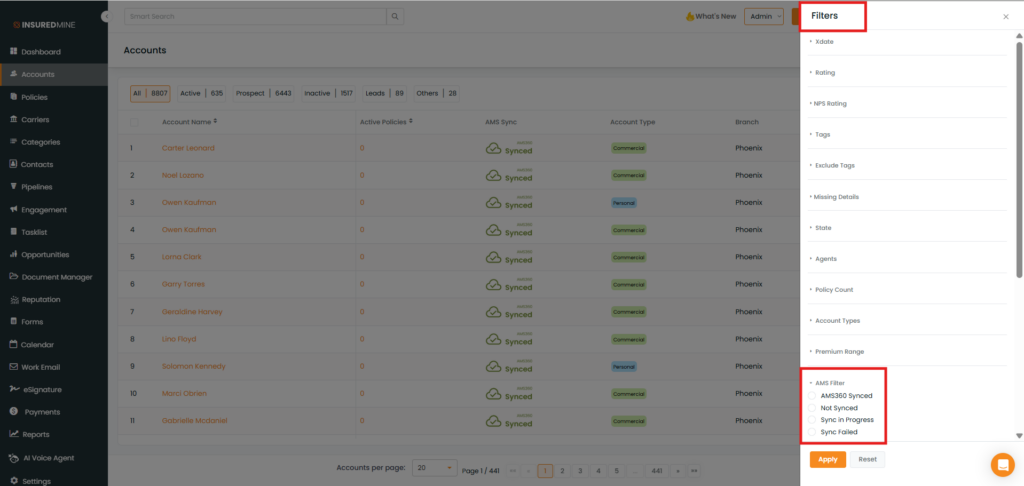
The Filter panel appears.
As shown below, a new AMS Filter option is available with the following statuses:
AMS360
Not Synced
Sync In Progress
Sync Failed
How to apply the filter:
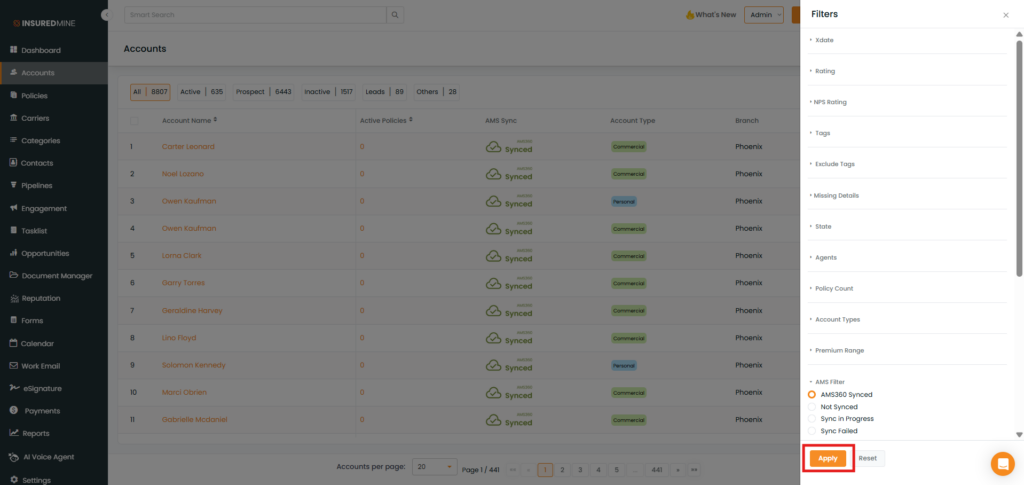
Select AMS360 Synced.
Click Apply.
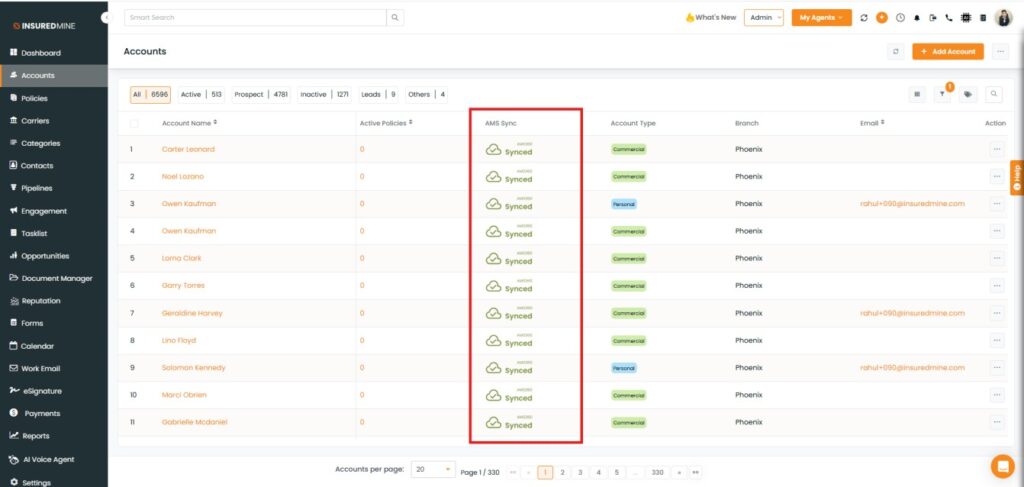
As shown below, all accounts with the AMS360 Synced status are displayed.
Note:After selecting an option from the dropdown and clicking Apply, the system displays the filtered results accordingly.
Note: The AMS Filter is available in the Contacts and Policies sections with the same options and usage as the Accounts section.