Release Date: March 3, 2023
Overview
We have introduced an enhancement that allows users to delete forms directly from Contact360 and Account360. Users can now remove forms that are no longer required, helping maintain accurate and organized records within contact and account profiles.
Use Case: Admin and agents can streamline their workflow and increase productivity by directly removing redundant forms from the contact and account modules.
To view the enhancement in Contacts
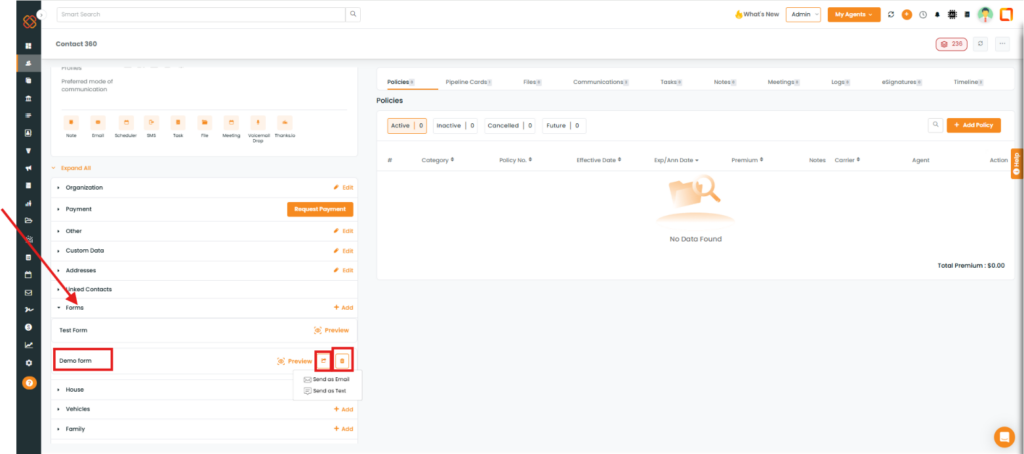
- Navigate to the Contact module. Select a contact to go to Contact 360.
- Scroll down to the Forms section on the left side of the screen.
- Click the arrow icon to display the form-sharing options
- To delete a form, click the Delete icon next to the form.
For Accounts:
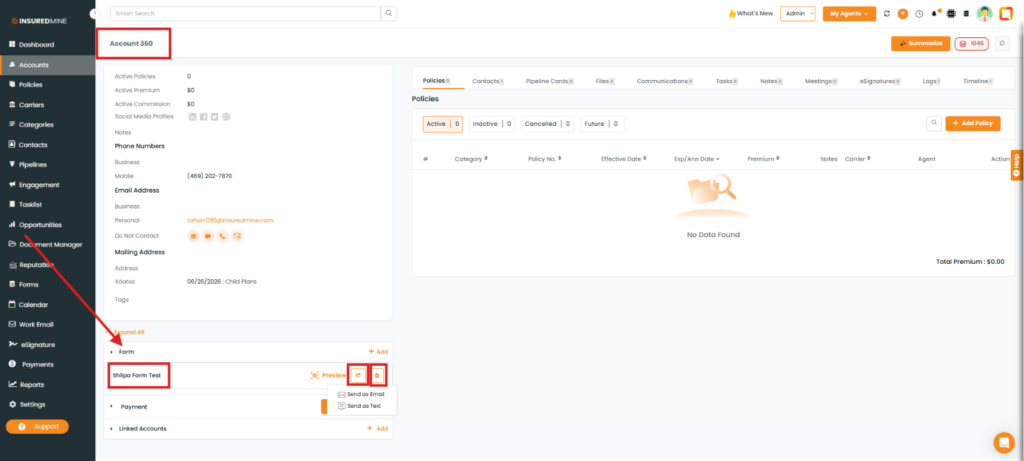
- Navigate to the Accounts module. Select an Account to go to Account 360.
- Scroll down to the Forms section on the left side of the screen.
- Click the arrow icon to display the form-sharing options
- To delete a form, click the Delete icon next to the form.