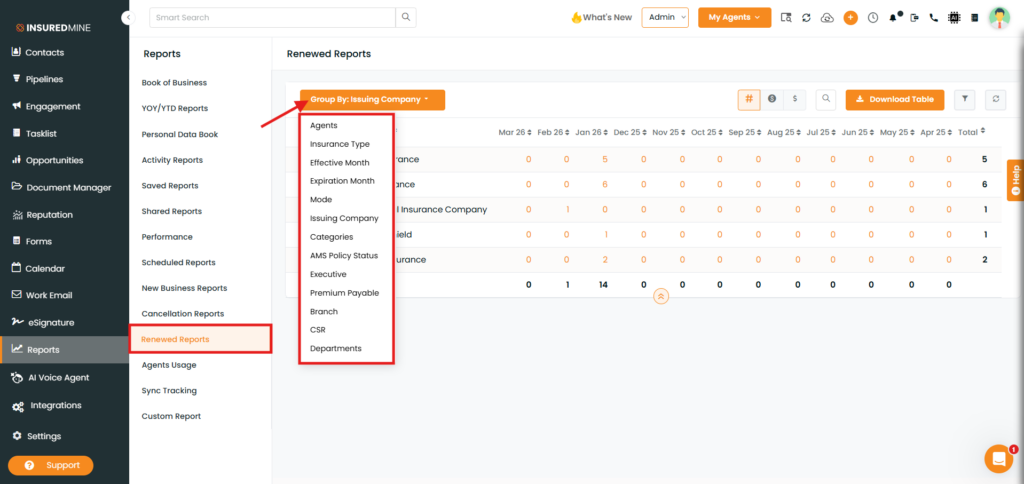
We have introduced a new enhancement under the Reports module in the New Business Reports, Cancellation Reports, and Renewed Reports sections. Users can now group report data using the additional options in the Group By dropdown.
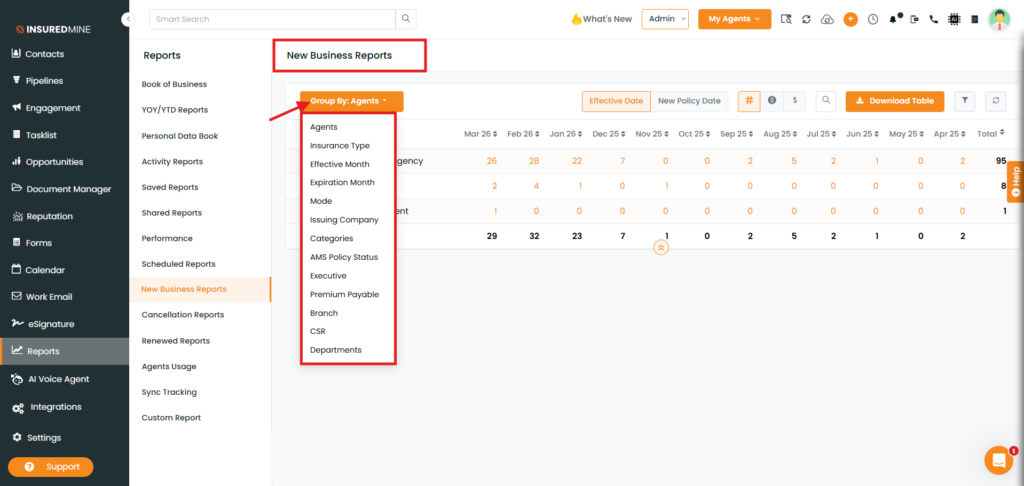
The Group By dropdown includes multiple grouping options such as Agents, Insurance Type, Effective Month, Issuing Company, Categories, CSR, and more, allowing users to organize report data based on their preferred criteria.
Use Case: This enhancement helps users analyze report data more effectively by organizing records based on multiple specific business parameters. It improves report readability, supports better comparison, and allows faster access to meaningful insights for decision-making.
To view the Enhancement in New Business Reports:
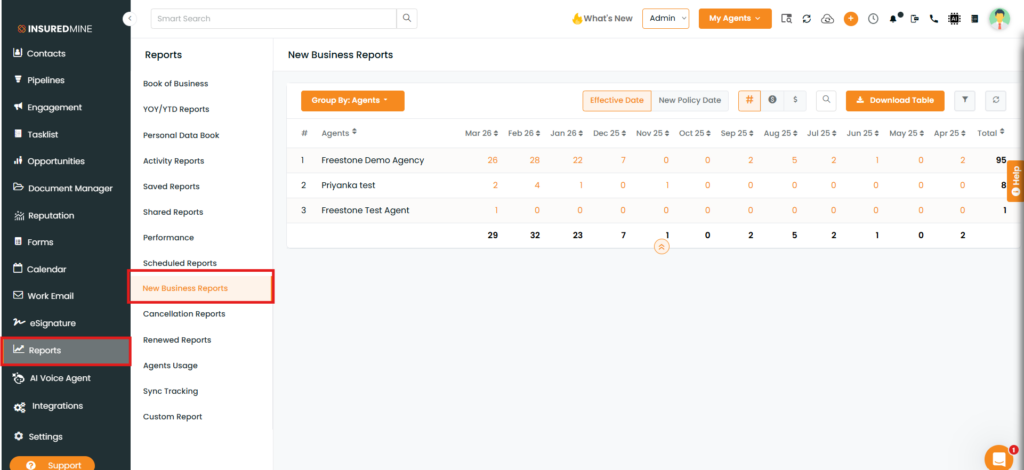
Navigate to Reports.
From Reports, select New Business Reports.
You will be redirected to the New Business Reports page.
As shown below, click on the Group By dropdown.
A dropdown list appears, displaying multiple grouping options.
To view the result:
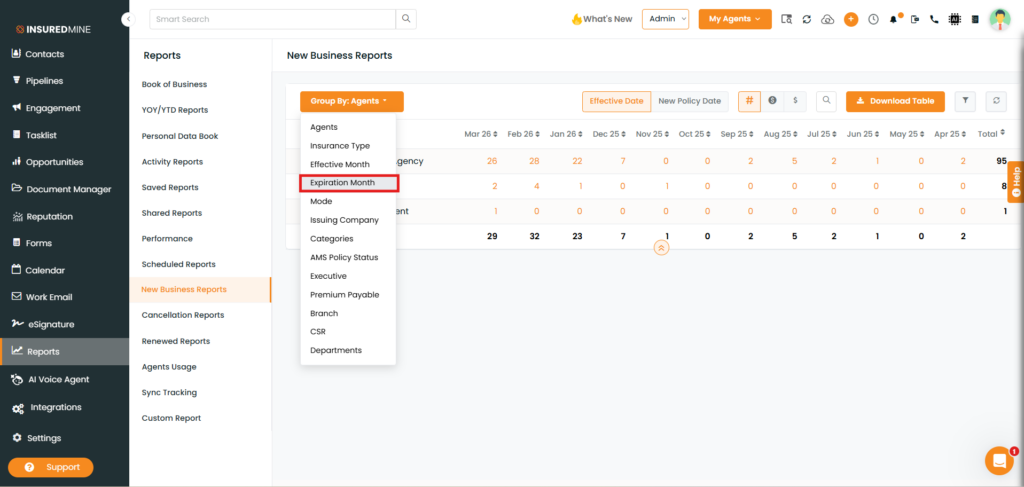
Select the preferred Group By option (e.g., Expiration Month).
As shown below, the report data for Expiration Month is displayed based on the selected grouping criteria.
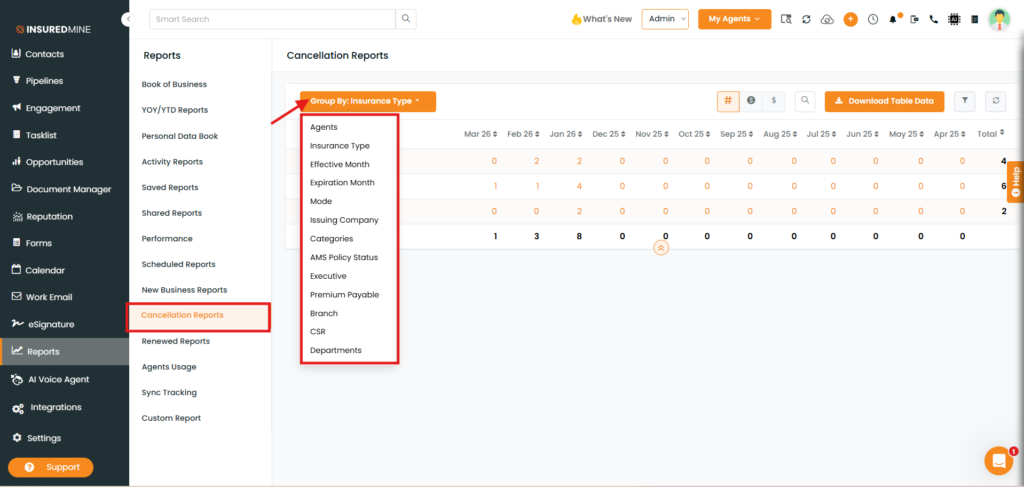
Note: To view the enhancement and apply the Group By options in Cancellation Reports and Renewed Reports, follow the same steps as mentioned above for New Business Reports.