


Release Date: 08/25/2026
This enhancement is available to Admins and Agents.
Overview
InsuredMine now allows users to upload existing form details from a PDF or Excel file directly from the Form Preview page and use the extracted information to automatically populate the form.
The system identifies the columns and information available in the uploaded file and maps them to the corresponding fields in the InsuredMine form. Users can review the extracted fields and modify the mapping whenever required.
Use Case
This enhancement is useful when form information is already available in a separate PDF or Excel file. Instead of manually entering each value into the InsuredMine form, users can upload the file and allow the system to automatically map the available information to the relevant form fields.
To use the enhancement:
- Navigate to the required Form.
- Open the Form Preview page.
- Click the Upload file to Auto -Fill option available in the top right corner to upload existing form details.
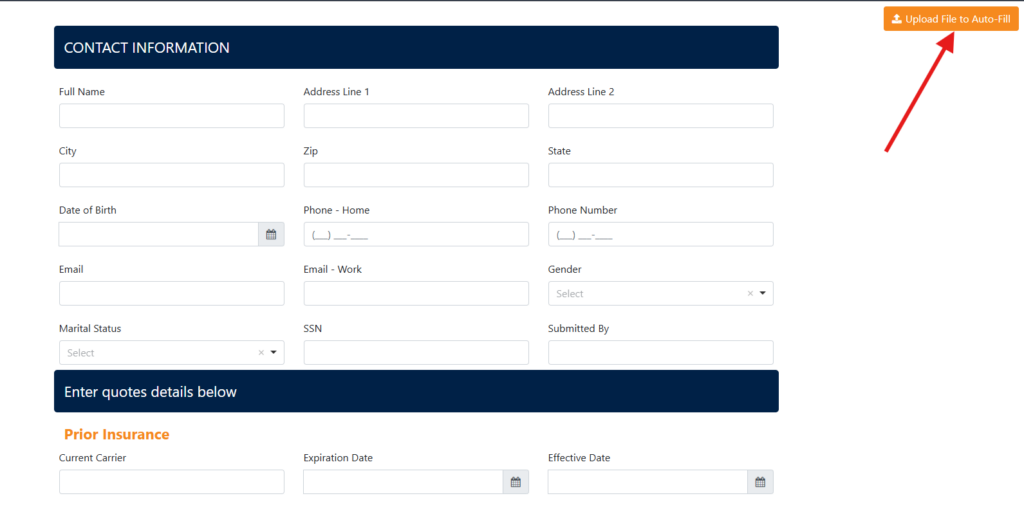
4. Select and upload the required PDF or Excel file containing the form details.
5. InsuredMine scans the uploaded file and identifies the available columns and data.
6. A Mapping Preview page is displayed where you can review how the uploaded data has been mapped to the form fields.
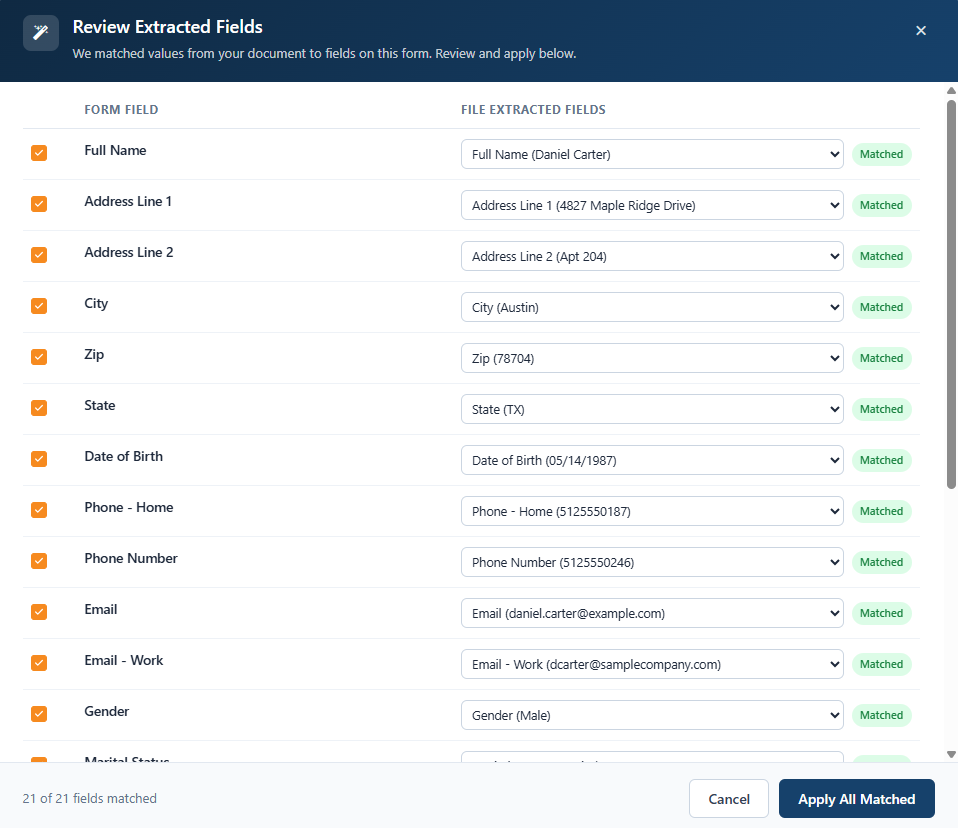
7. Review the automatically mapped fields.
8. If any field is not mapped or has been mapped incorrectly, you can manually select the appropriate uploaded column and map it to the required form field.
9. Review the populated information and make any required changes.
10. Continue with the mapping and save changes by clicking on “Apply All matched”
Update Mapping Anytime
Users can return to Review Extracted Fields at any time after uploading the file.
This allows users to:
- Review the existing field mapping.
- Change an existing mapping.
- Map previously unmapped fields.
- Verify which uploaded information is being used for each form field.
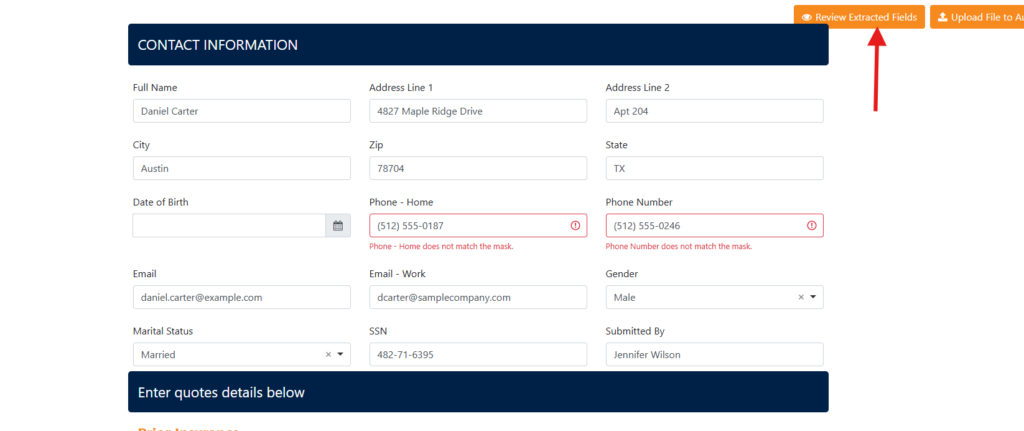
Key Benefits
- Auto-fill form fields: Populate form information using an existing PDF or Excel file.
- Automatic mapping: Match extracted file data with the corresponding form fields.
- Mapping preview: See exactly which information is mapped to which field.
- Manual mapping: Select the appropriate column when automatic mapping is not available or needs correction.
- Flexible updates: Review and change mappings whenever required.
- Reduced manual entry: Save time by avoiding repetitive field-by-field data entry.
Important Note
The Review Extracted Fields option provides visibility into the extracted information and its mapping to the form fields. Users should review the mapping and make any necessary changes before relying on the extracted information to auto-fill the form.


