


Release Date: 08/25/2026
This enhancement is available to all InsuredMine users.
Overview
We have introduced a new VIN Data Enrichment and Mapping enhancement in Forms that allows users to retrieve vehicle information by entering a Vehicle Identification Number (VIN).
Once the VIN is decoded, the system displays the available vehicle details along with their corresponding values. Users can then select which vehicle details should be mapped to the appropriate fields in the form.
This helps reduce manual data entry and makes it easier to populate vehicle-related information accurately.
Use Case
This enhancement is particularly useful for Auto Insurance forms, where users need to capture multiple vehicle details.
Instead of manually entering information such as the vehicle Year, Make, and Model, users can enter the VIN and retrieve the available vehicle information. Users can then choose which returned values should be populated in the form.
To use VIN Data Enrichment and Mapping:
- Navigate to the required Form.
- Open the section containing the vehicle information fields.
- Enter a valid VIN in the VIN field.
- Once the VIN is entered, click the VIN lookup/enrichment icon.
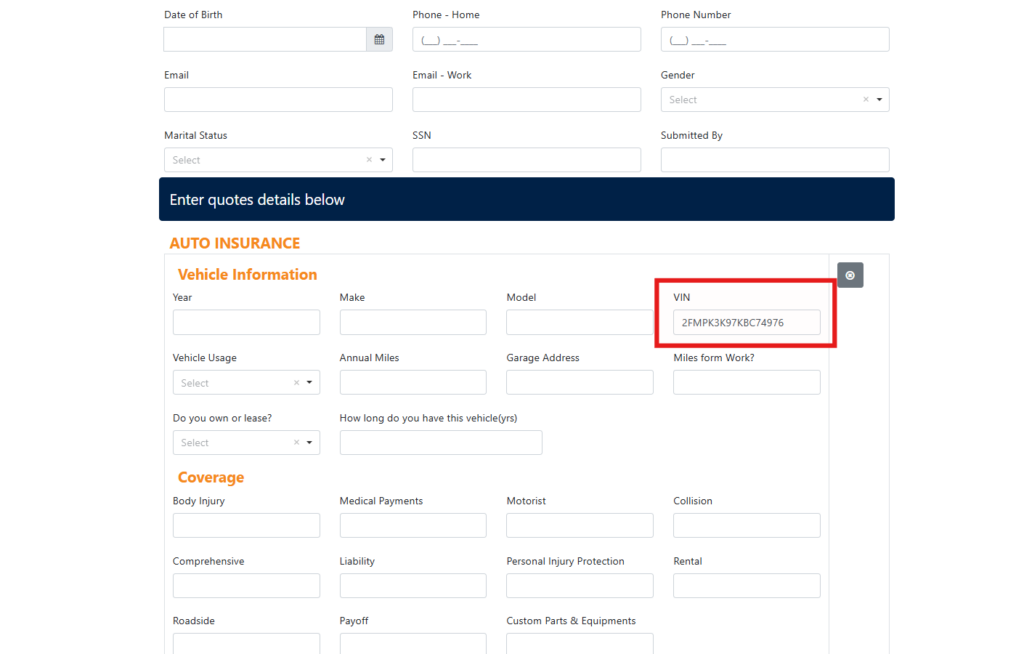
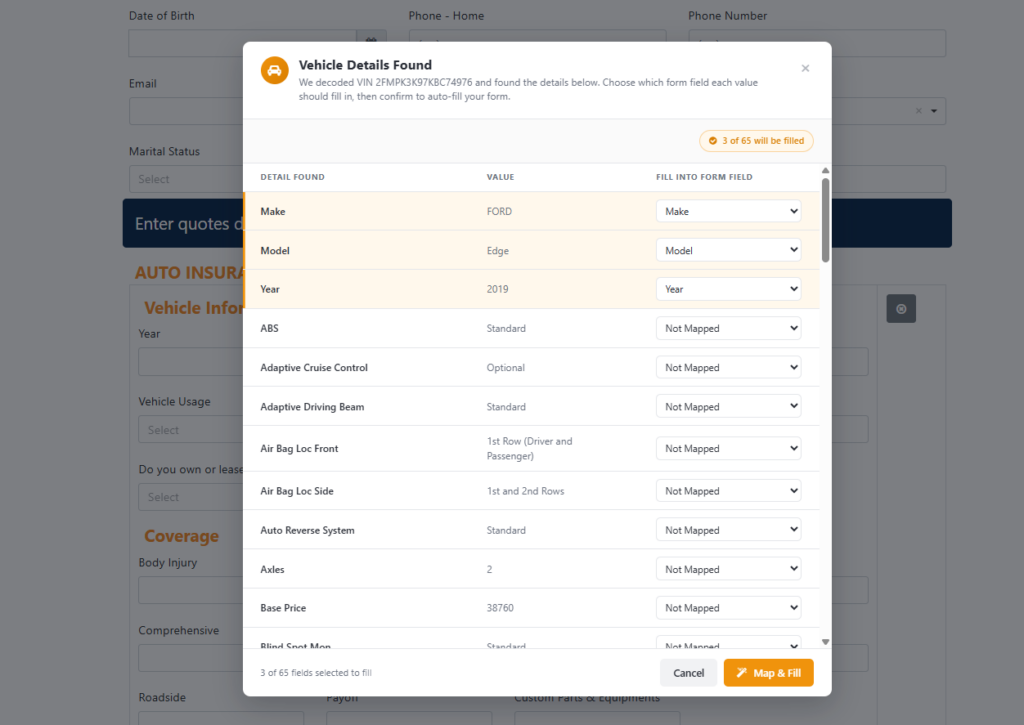
- The Vehicle Details Found panel appears with the information retrieved from the VIN.
- The panel displays the following columns:
- Detail Found – Displays the vehicle attribute retrieved from the VIN.
- Value – Displays the value associated with the vehicle attribute.
- Fill Into Form Field – Allows you to select the form field where the retrieved value should be populated.
Map Vehicle Details to Form Fields
- Review the vehicle details returned from the VIN.
- For each required detail, use the Fill Into Form Field dropdown.
- Select the corresponding form field where the value should be populated.
- If a particular vehicle detail is not required, leave the field as Not Mapped.
Note:
- The vehicle details available for mapping depend on the information returned for the entered VIN.
- Users can choose to map only the required vehicle details.
- Any detail left as Not Mapped will not be populated in the form.
- The mapping count indicates how many vehicle details are currently selected to be filled.
- Users can review and modify the mappings before clicking Map & Fill.
- The VIN field itself is used to retrieve vehicle information and does not need to be mapped again.
Example
For a VIN that returns the following information:
VIN: 2FMPK3K97KBC74976
The system may return:
- Make: FORD
- Model: Edge
- Year: 2019
- ABS: Standard
- Adaptive Cruise Control: Optional
- Axles: 2
- Base Price: 38760
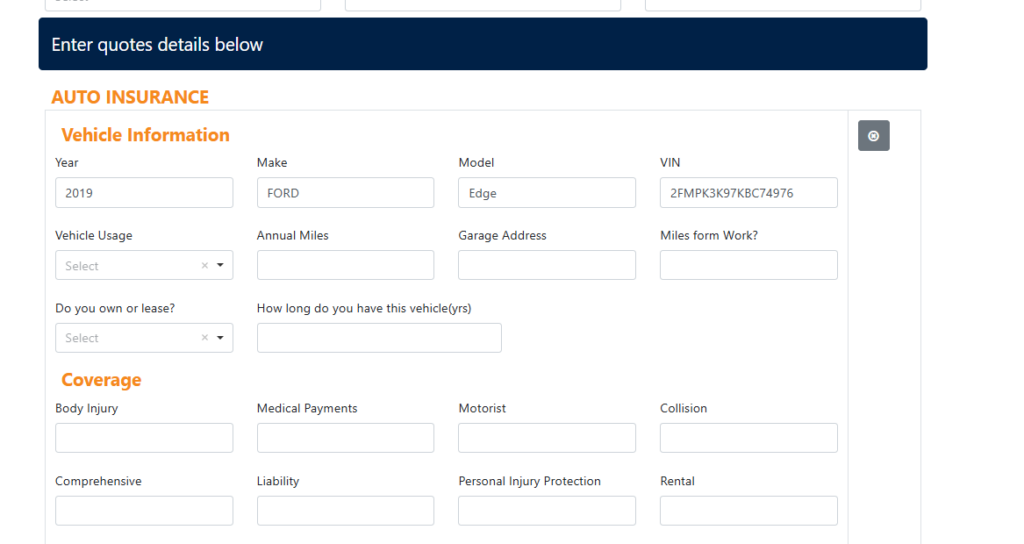
A user can choose to map only Make, Model, and Year to the corresponding fields in the form. After clicking Map & Fill, those selected fields will be automatically populated.


