


Release Date: 6 January 2026
We have introduced a new enhancement in the Service Pipeline to provide greater control and flexibility in email handling. With this feature, users can either integrate their own email address or use an InsuredMine managed inbox, allowing incoming service-related emails to automatically create deal cards in the Service Pipeline.
This enhancement ensures that no service request is missed, improves response time, and maintains a clear and organized record of all client communications.
Use Case: This feature allows every incoming service email automatically creates a deal card, ensuring no service requests are missed. This enables faster response times, clear visibility into ongoing service issues, accurate client identification, and a complete record of service communications, helping teams track issues efficiently, prioritize work accurately, and deliver better service outcomes.
To view the enhancement:
- Navigate to Pipelines.
- From the Pipelines dropdown, click Create New Pipeline.

- You are redirected to the Create New Pipeline page.
- From the Pipeline Types, select Service.
- Add the preferred policy category.
- Fill in the required mandatory fields.
- Click Save & Continue.


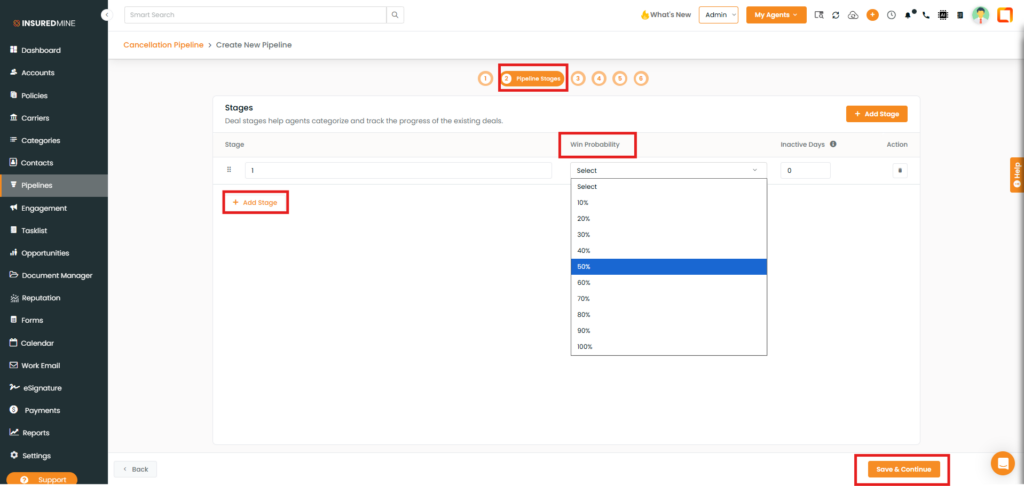
- You are redirected to the 2 Pipeline Stages page.
- Add your preferred stage.
- From the dropdown, select the Win Probability.
- Click Save & Continue.
- You are redirected to the Service Configuration page.
- As shown below, select Integrate Your Own Email Box from the available options.
- The Email Inbox panel appears.
- Fill in the required fields.
- Click Save.

- As shown below, the Email Inbox panel is displayed, allowing you to configure the email address, service category, service priority, pipeline placement, customer assignment, and Notification Email.

Note: There is an additional enhancement available on the Service Request Configuration page that allows users to select InsuredMine Managed Inbox in the Service Pipeline. This enables the use of an already verified email address, which must first be verified under Pipeline Settings → Forwarding Email. Once verified, the email can be reused in the Service Pipeline, providing greater flexibility and control compared to the earlier forwarding email setup.
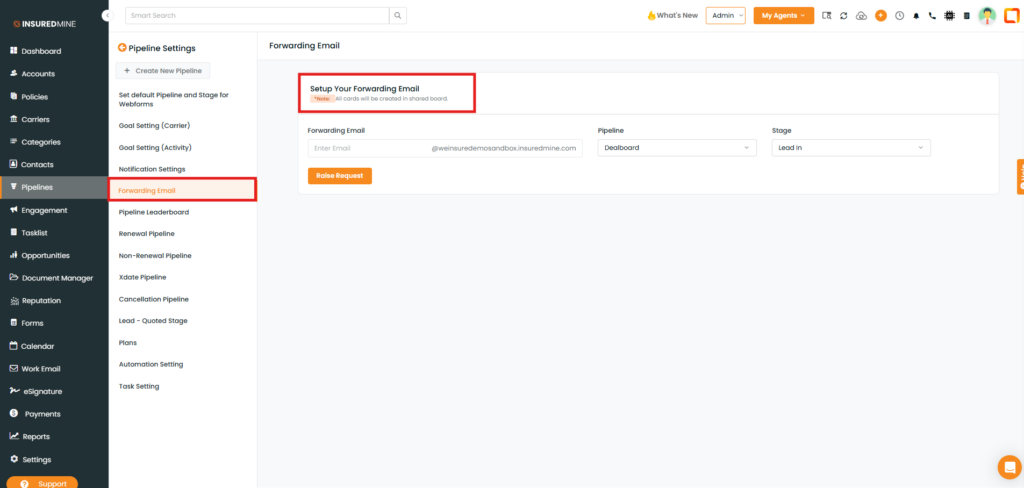
- As shown below, just by clicking on it, an Email Inbox panel appears, and Users can also configure service category, service priority, stage selection, assignment rules, notification email, and due date settings from this section.


