Release Date: June 22, 2026
This enhancement is available to Admins and Agents.
Overview
We have introduced a new enhancement in the Pipeline module that allows users to create a new pipeline card directly from a quote within an existing deal card. When a new pipeline card is created, the selected quote details are automatically populated into the newly created card, reducing manual data entry and simplifying quote management.
Use Case: This enhancement helps users manage multiple quotes more efficiently by allowing them to create separate pipeline cards for individual quotes within the same deal. By automatically carrying over the selected quote information, users can track, manage, and progress each quote independently while maintaining accurate quote-related data in the pipeline.
To view the enhancement:
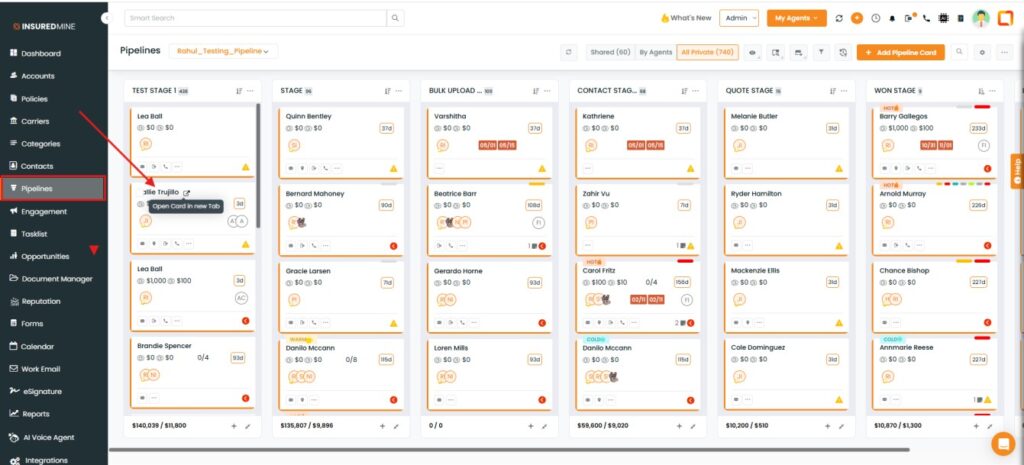
- Navigate to Pipelines.
- Click on the Deal Card.
- The Deal Card Details page appears.
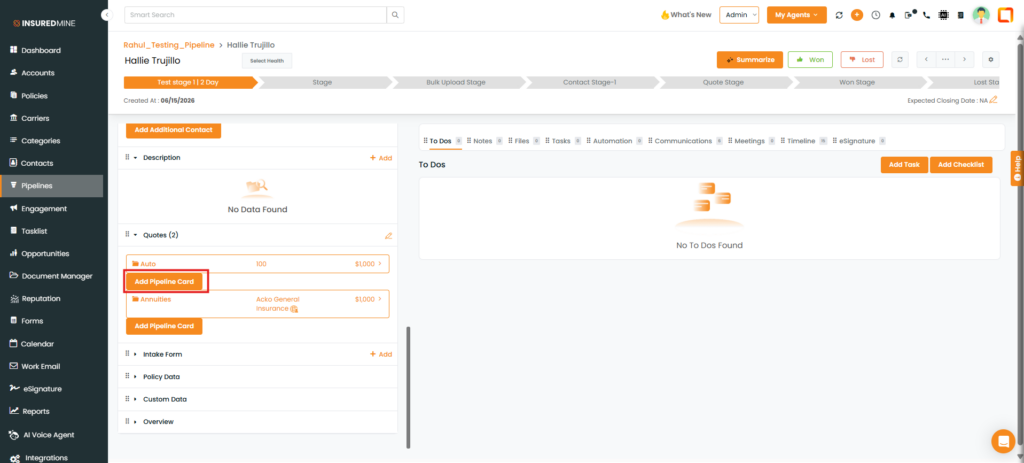
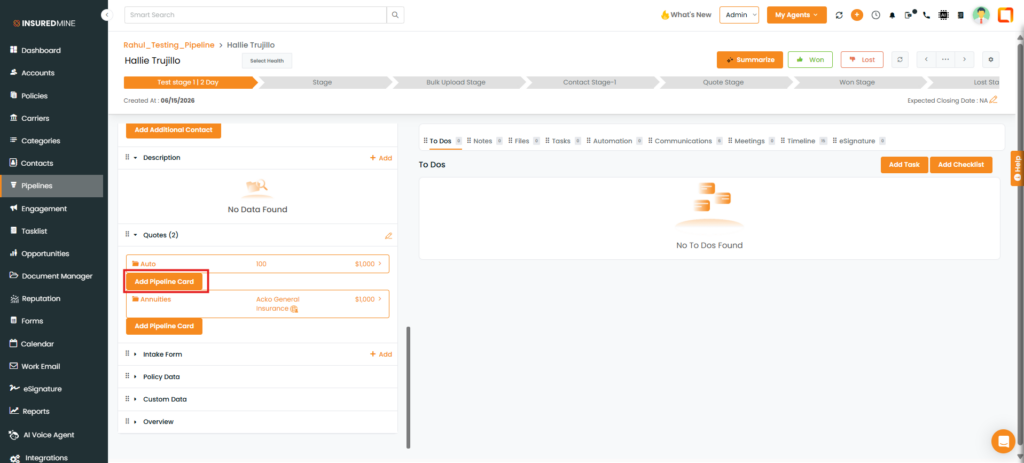
- Scroll down to the Quotes section.
- As shown below, click on the Add Pipeline Card for the preferred quote for which you want to create a new card.
Note: The Add Pipeline Card option is available only when the deal card contains two or more quotes.
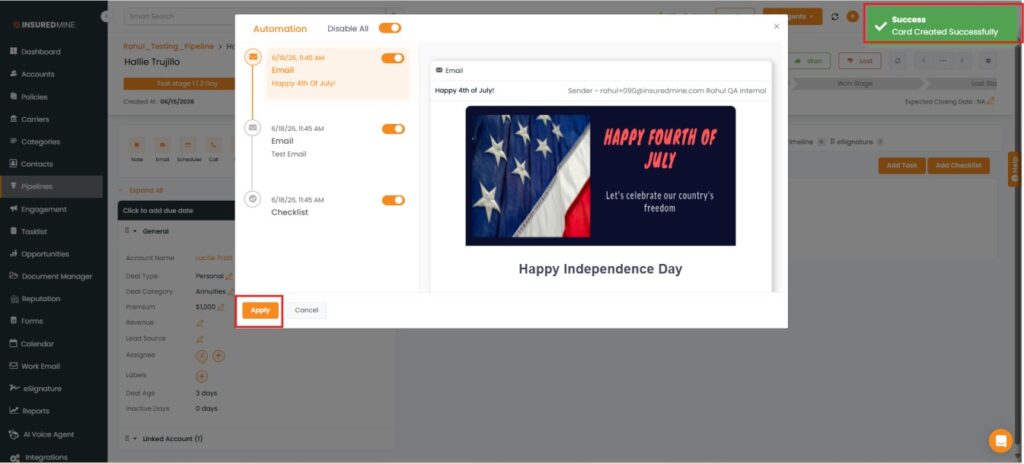
- A success pop-up, “Card Created Successfully,” appears.
- A pop-up window appears to enable automation.
- Click Apply.
Note: The Enable Automation pop-up appears only when automation is active and configured for the selected stage.
- A new pipeline card is created within the same stage.
- As shown below, the newly created pipeline card is automatically updated with the details of the selected quote.
Note: All relevant details from the selected quote, such as quote status (Won/Lost), premium, revenue, and other quote information, are automatically updated in the newly created pipeline card, ensuring the card reflects the selected quote’s current status and details.