Release Date: 10/23/2026
Overview
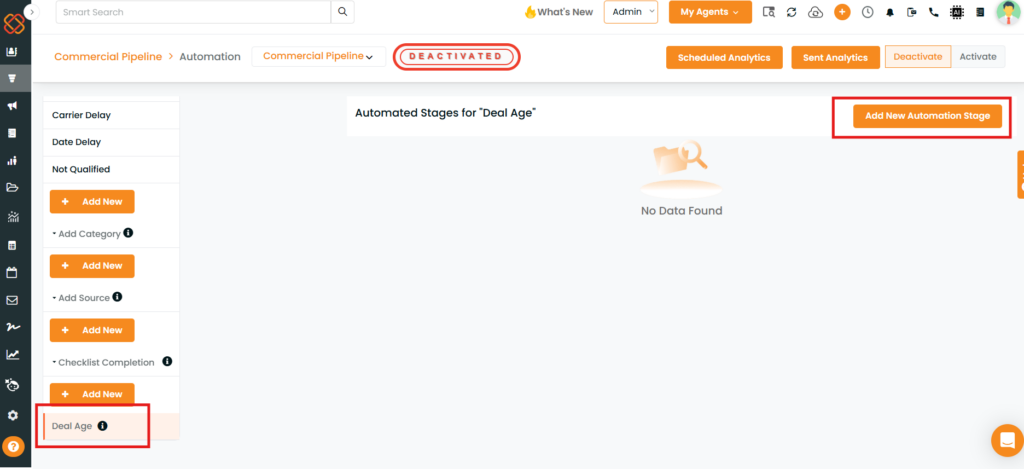
Deal Age Automation is a new enhancement InsuredMine introduces in its Pipeline Module under automation process. It allows users to configure automated actions based on how long a deal card has existed in a pipeline. Users can set delays to trigger actions such as sending an email or moving a deal card to another stage after a specified number of days.
The automation is applied by default when a new card enters the pipeline and continues running even if the card is moved to another stage, unless it is manually stopped.
Prerequisites
- Access to the Pipeline module.
- Access to the pipeline’s automation settings.
- The required automation actions and delay periods should be identified before configuration.
- Deal Age Automation can be configured only once per pipeline. Multiple Deal Age Automation configurations cannot be created for the same pipeline.
Use Cases:
- Automated follow-ups: Send an email when a deal reaches a specified age.
- Stage progression: Move a deal card to another stage after a defined period.
- Consistent deal management: Apply time-based actions to newly created pipeline cards automatically.
- Manual automation control: Stop the automation for an individual deal card when necessary.
Navigation
Follow the navigation path below to access Deal Age Automation:
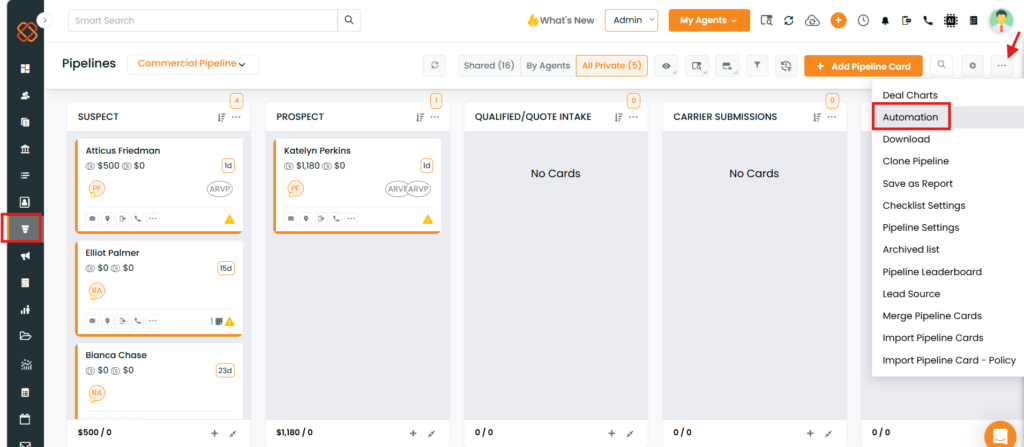
Pipeline Module → Quick Actions → Automations → Deal Age
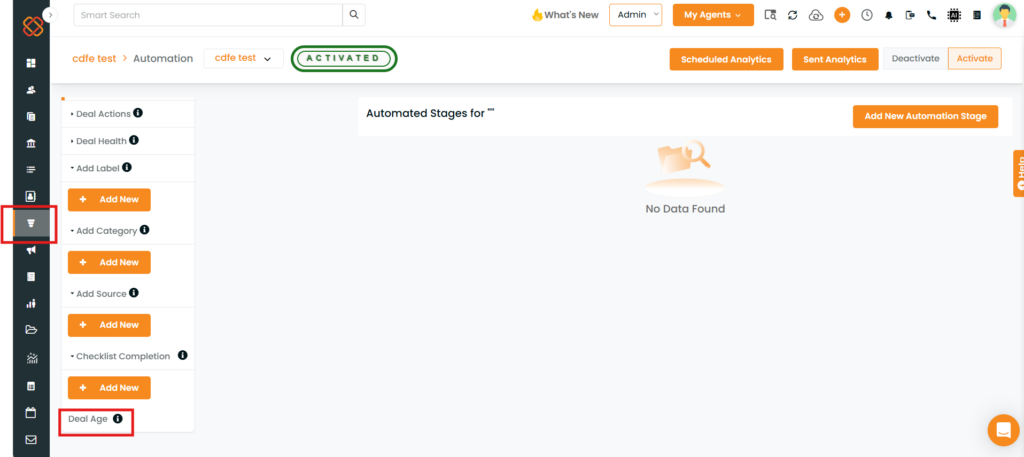
The Deal Age option is located at the bottom of the Automations section.
Configuration and Step-by-Step Instructions
Step 1: Open Deal Age Automation
- Navigate to the Pipeline module.
- Open Quick Actions.
- Select Automations.
- Scroll to the bottom of the available automation options.
- Select Deal Age.
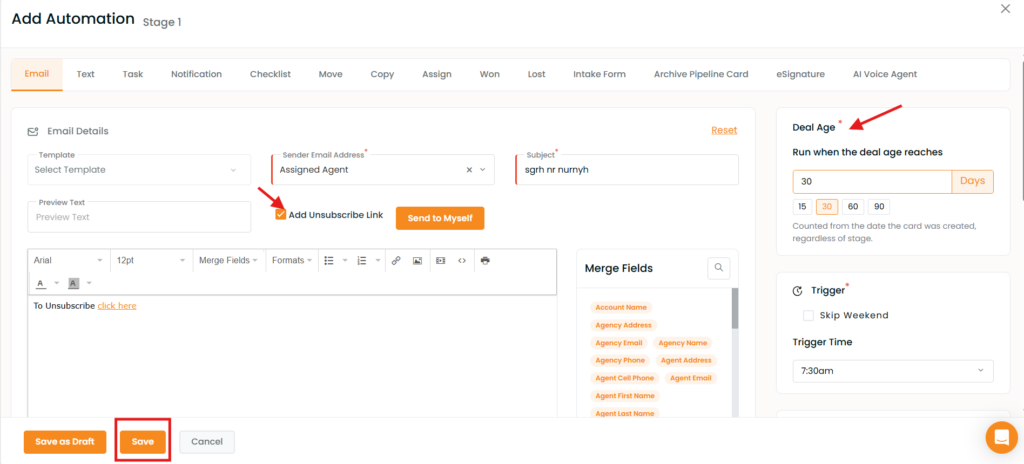
Step 4: Verify automation on a deal card
- Create or add a new card to the configured pipeline.
- Open the deal card.
- Locate the Deal Age Automation details.
- Verify that the configured actions appear as scheduled.
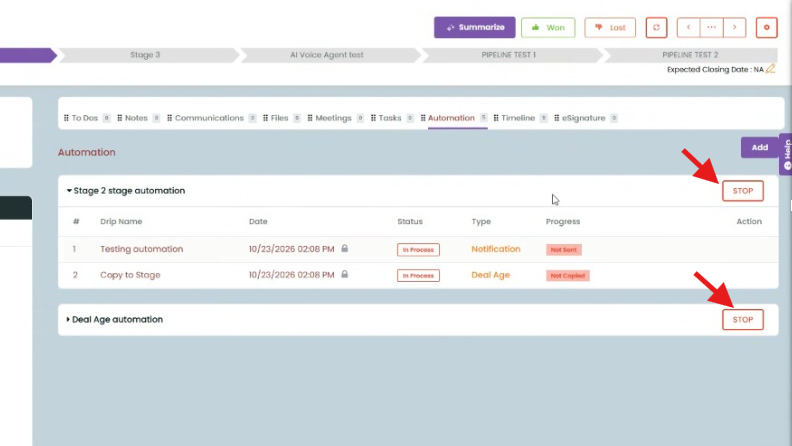
The automation is enabled by default for a new card entering the pipeline.
Step 5: Stop the automation manually, if required
If the automation should no longer run for a particular deal card:
- Open the relevant deal card.
- Locate its automation controls.
- Select the available Stop option for the automation.
The automation continues running by default unless it is manually stopped.