Home » Knowledge Base » Pipeline – Create Task Status Filters – Tasks Done, Tasks Pending & No Tasks
Pipeline Automation and Workflow
Pipeline – Create Task Status Filters – Tasks Done, Tasks Pending & No Tasks
April 17, 2026
Release Date: 17 April 2026
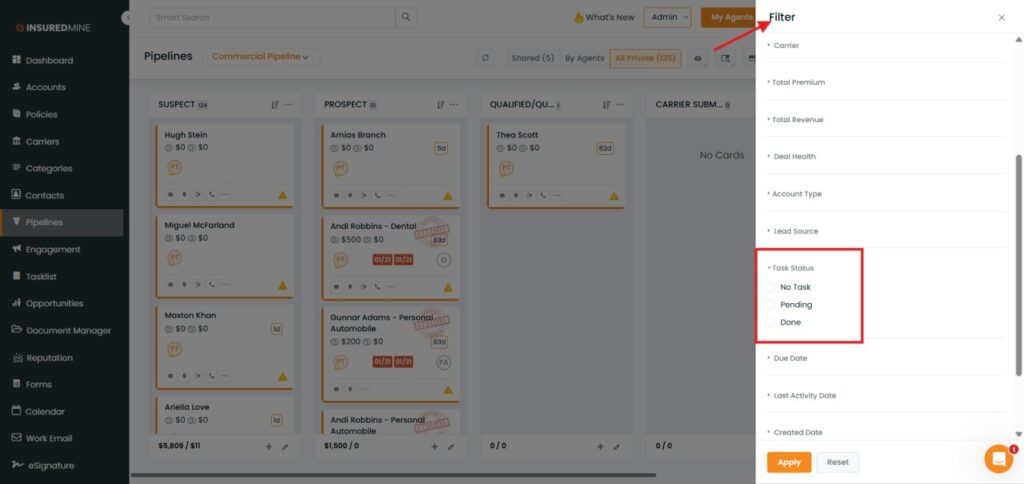
We have introduced a new enhancement in the Pipeline module. A new filter Task Status has been introduced with the following options:
No Task
Pending
Done
This enhancement enables users to quickly view and manage Pipeline Cards based on their associated task status, improving visibility and workflow efficiency.
Use Case: This enhancement helps users quickly identify Pipeline Cards based on task progress. It improves visibility by allowing users to filter deals with completed tasks, pending tasks, or no tasks assigned, enabling better tracking and follow-ups.
To view the enhancement:
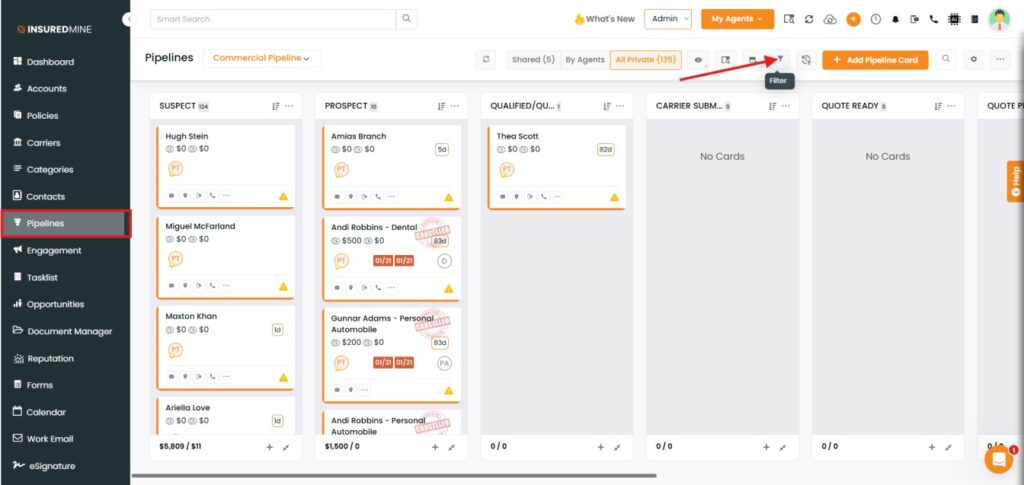
Navigate to Pipeline.
As shown below, click on the Filter
A Filter panel appears on the Right side.
Scroll down to view the newly added filter, Task Status.
How to apply the Filter:
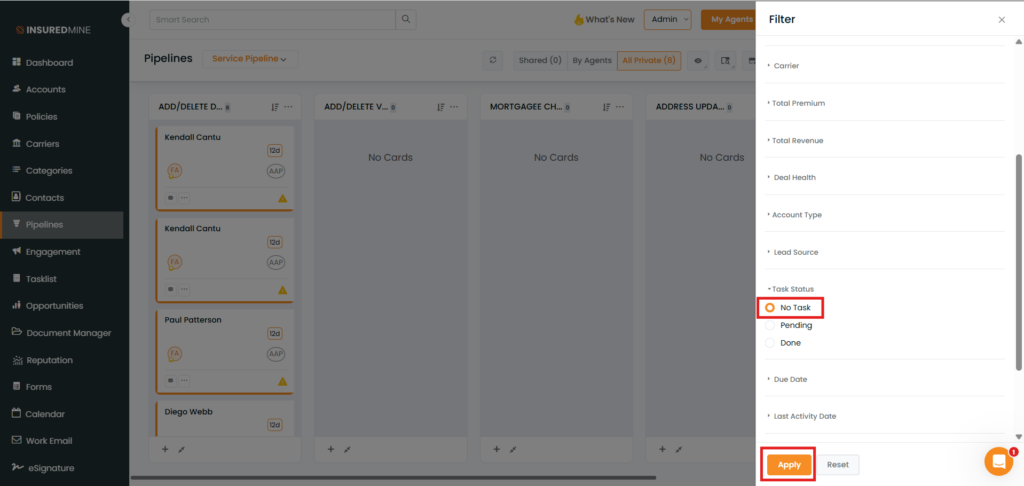
Select the preferred Status (e.g, No Task)
Click on Apply.
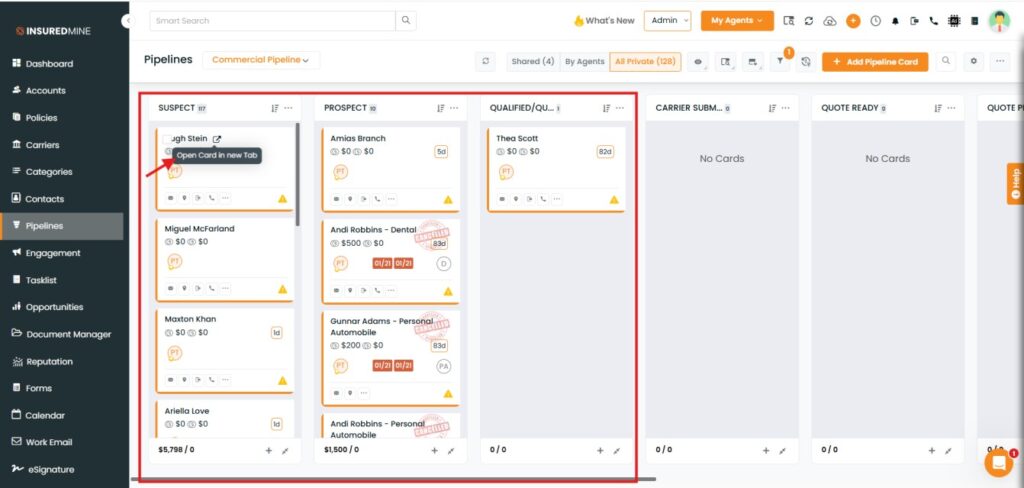
After applying the filter, the page will display all pipeline cards based on the selected task status.
Click on the preferred Pipeline card.
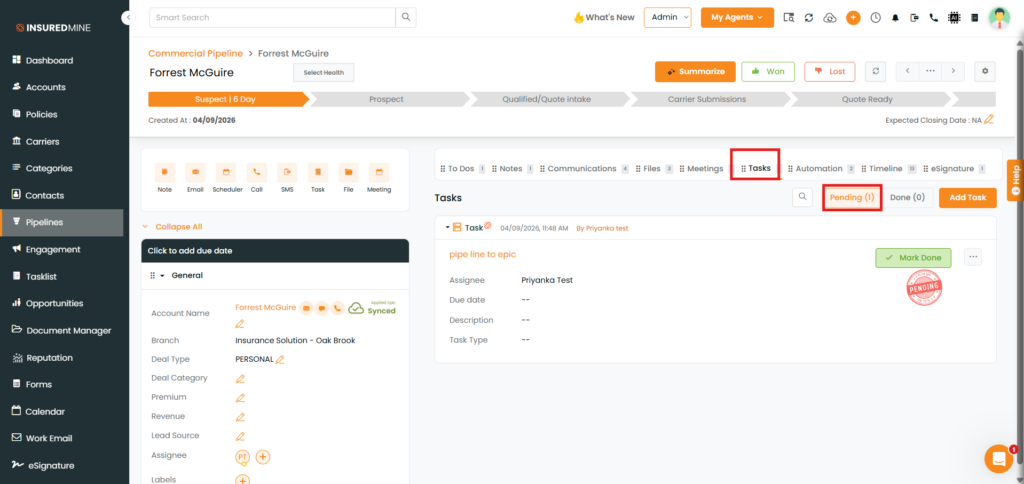
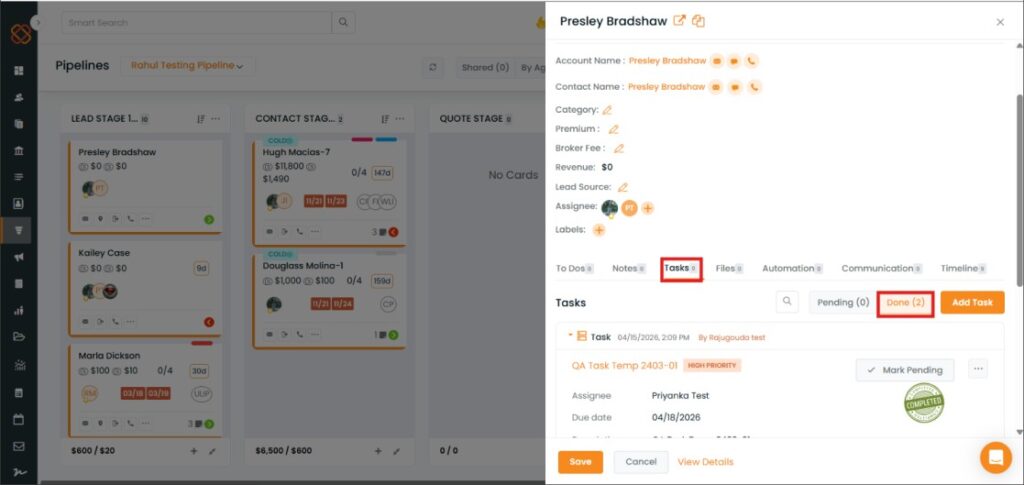
Click on Task.
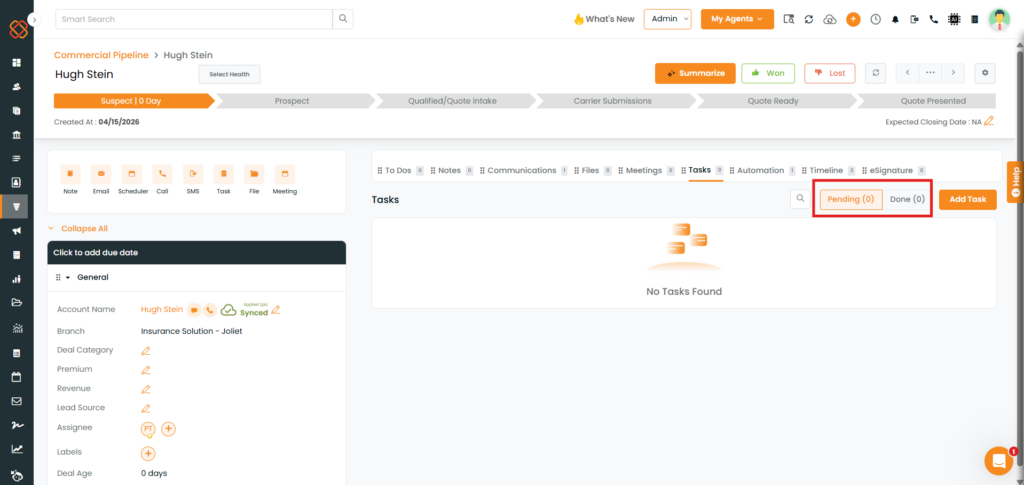
As shown below, no task is assigned to the Pipeline Cards.
To view Pipeline Cards with Tasks Pending or Tasks Done, follow the same steps.