We have introduced a new Agency filter in the Pipeline module. This enhancement allows users to filter deal cards based on the selected agency, making it easier to view and manage agency-specific pipeline data.
Use Case: This enhancement helps users quickly identify and focus on deals associated with a specific agency. By filtering deal cards based on agency, users can streamline pipeline management, reduce the time spent searching through records, and improve visibility into agency-specific opportunities.
Note: This feature is applicable to only Epic agencies.
To view the enhancement:
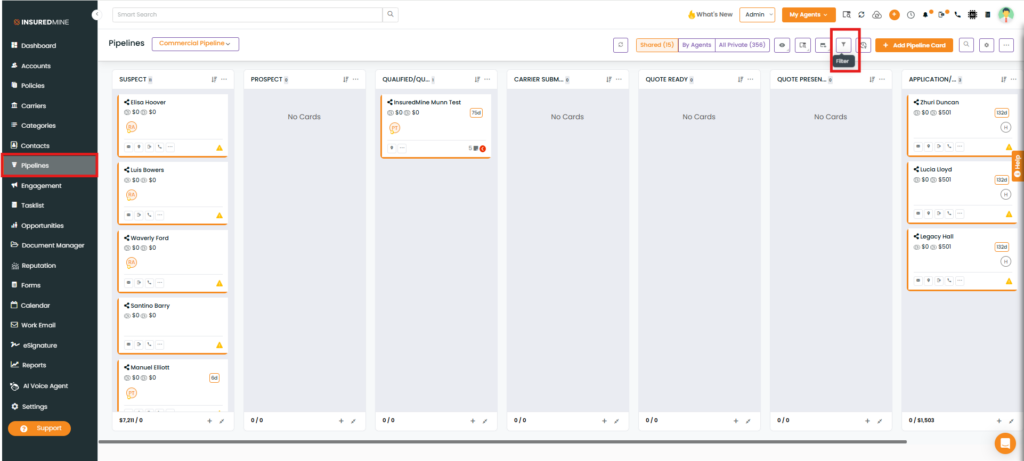
Navigate to Pipeline
As shown below, click the Filter icon
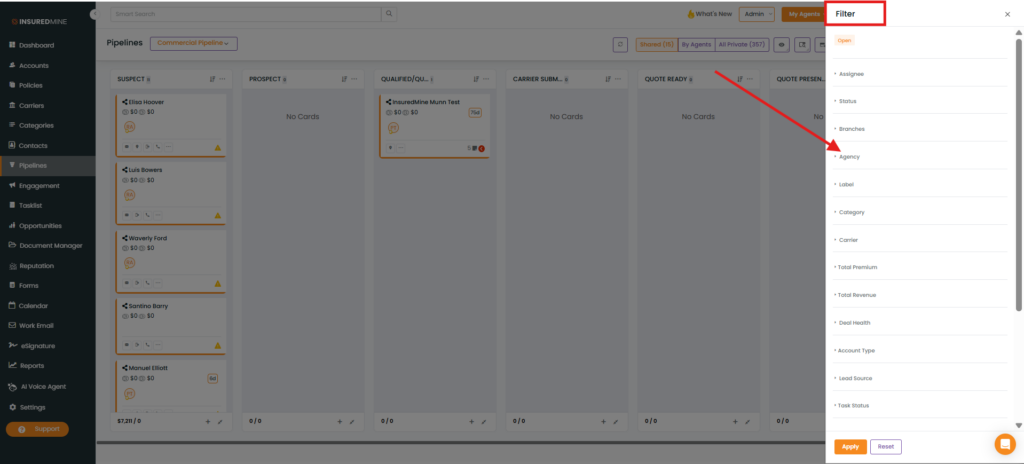
The Filter panel appears on the right-hand side.
A newfilter, Agency, has been added.
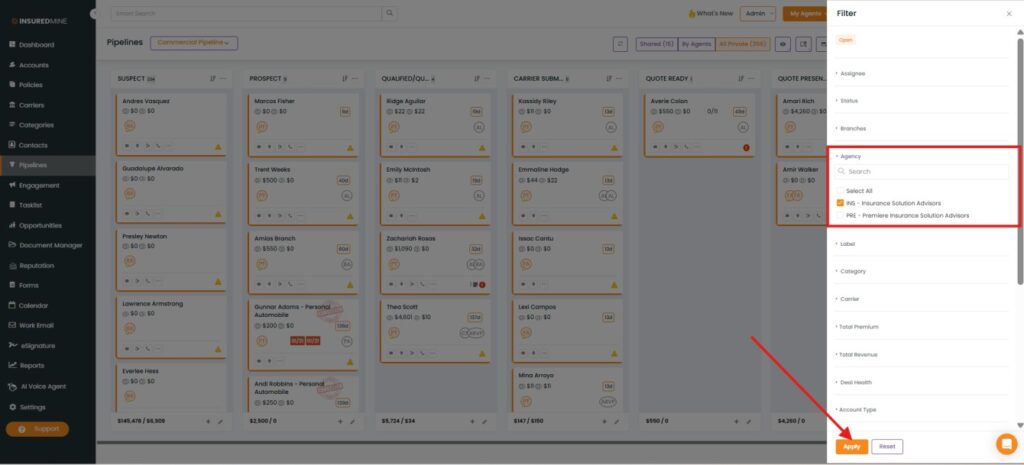
How to Apply the Agency Filter:
From the Agency dropdown, select the preferred agency.
Click Apply.
Note: You can also use the Select All option to choose all agencies from the dropdown.
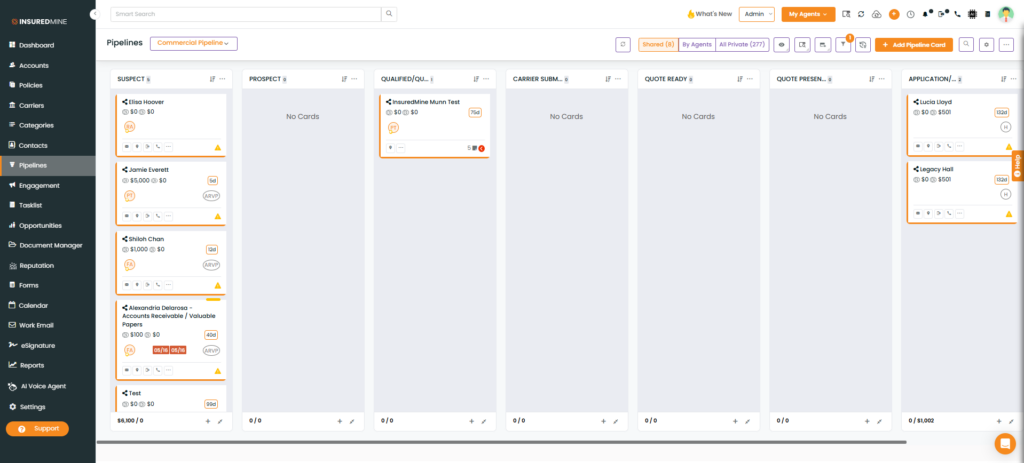
Deal cards associated with the selected agency are displayed.