Home » Knowledge Base » Add “No Label” and “No Stamp” Filter Conditions in Pipelines Module
Pipeline Automation and Workflow
Add “No Label” and “No Stamp” Filter Conditions in Pipelines Module
June 22, 2026
Release Date: June 22, 2026
This enhancement is available to:
Admins
Agents
Overview
We have introduced a new enhancement in the Pipeline module that adds No Stamp and No Label options to the Card Stamp and Label filters. These options allow users to quickly identify and filter deal cards that do not have a stamp or label assigned.
Use Case: This enhancement helps users locate deal cards that have not been categorized with stamps or labels.
By filtering records with No Stamp or No Label, users can identify incomplete records, maintain data consistency, and ensure deal cards are properly organised for tracking and reporting.
To view the enhancement:
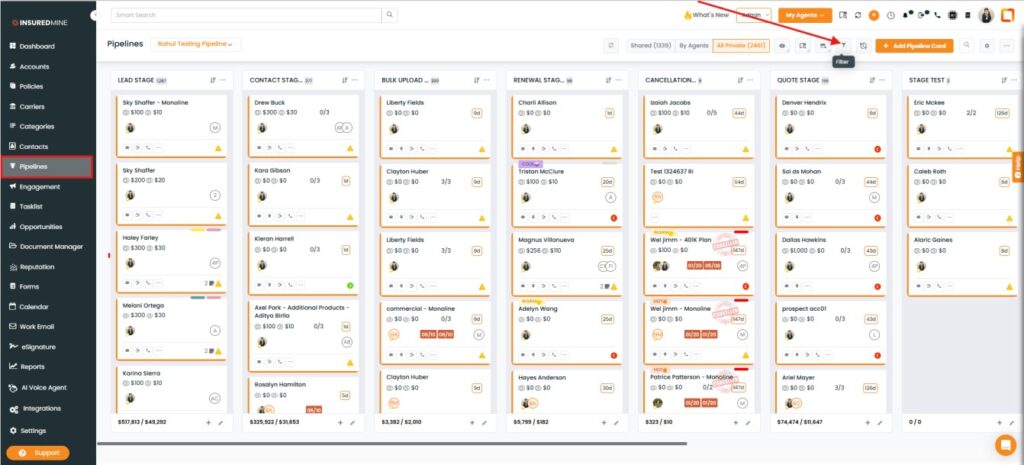
Navigate to Pipelines.
Click the Filter icon.
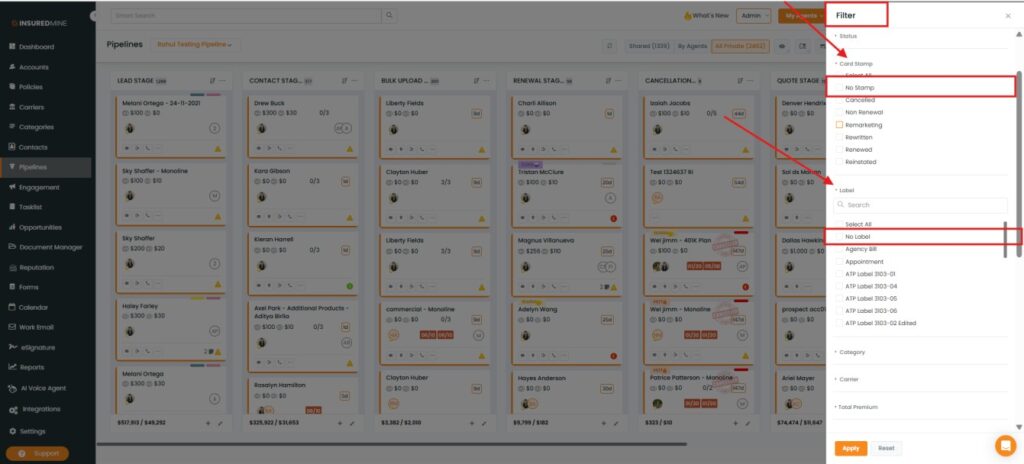
The Filter panel appears on the right-hand side.
The Filter panel appears on the right-hand side.
Expand the Card Stamp section.
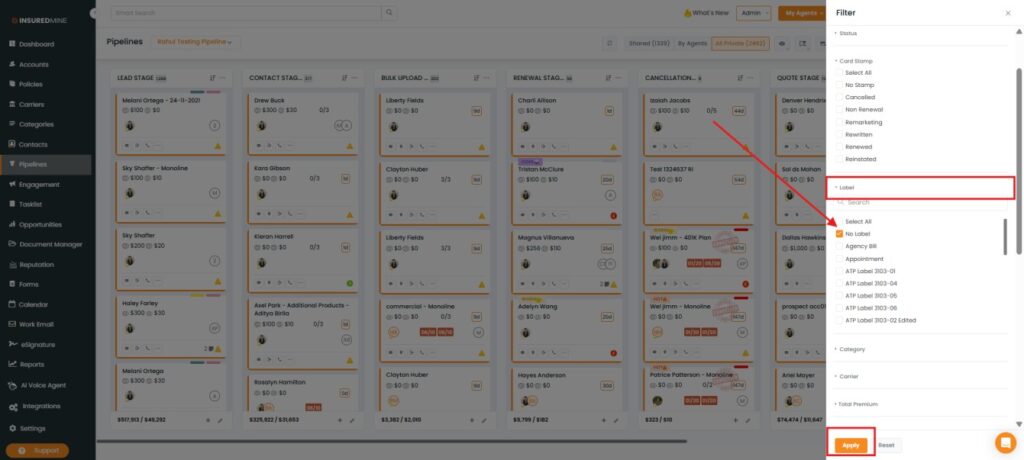
As shown below, a new No Stamp option has been added.
Expand the Label section.
As shown below, a new No Label option has been added.
How to Apply the No Stamp Filter:
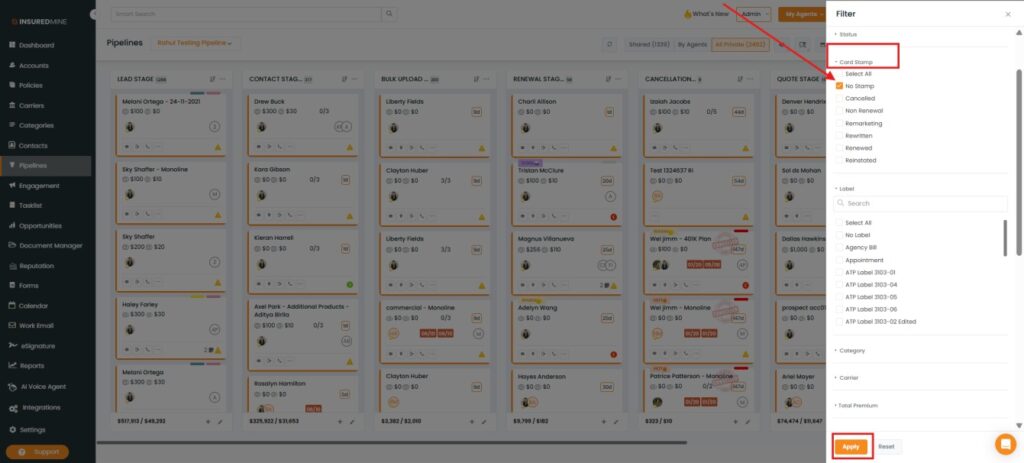
Under Card Stamp, select No Stamp.
Click Apply.
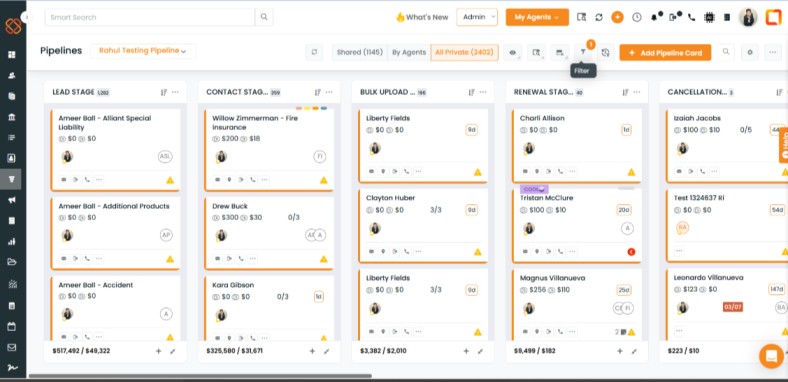
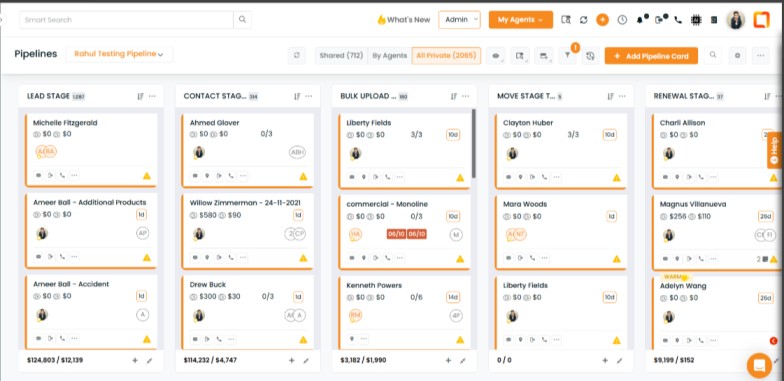
Deal cards without any stamp assigned are displayed.
How to Apply the No Label Filter:
Under Label, select No Label.
Click Apply.
Deal cards without any Label assigned are displayed.