Release Date: June 22, 2026
This enhancement is available to Admins and Agents.
Overview
We have introduced a new enhancement under the Engagement module that allows users to select a Servicing Role as the sender email in Workflow Automation. This ensures that emails are sent from the email address associated with the selected servicing role, enabling more personalized and role-based communication.
Use Case: This enhancement helps agencies route automated communications through the appropriate servicing role assigned to a record. By using the servicing role’s email address as the sender, agencies can improve communication consistency, provide clients with a relevant point of contact, and maintain role-based ownership throughout the workflow process.
Note: This feature is available to EPIC.
To view the enhancement:
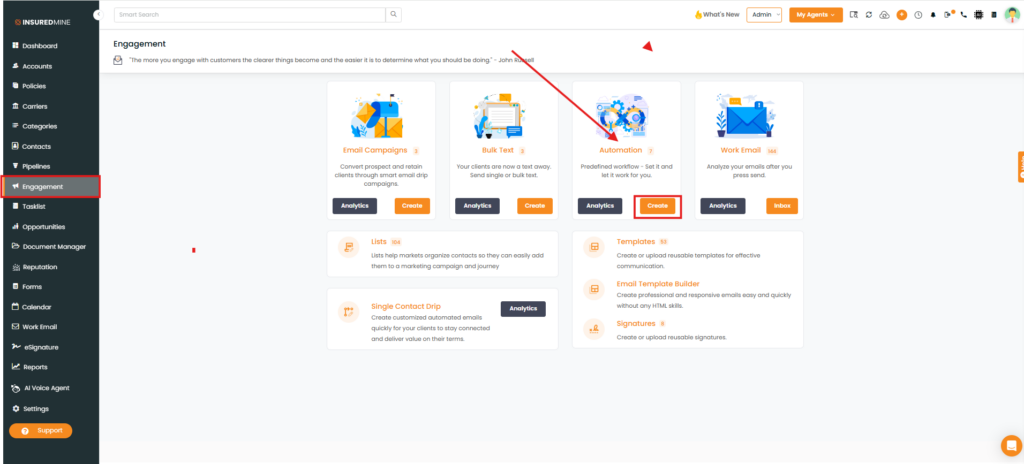
- Navigate to Engagement.
- From Automation, click Create.
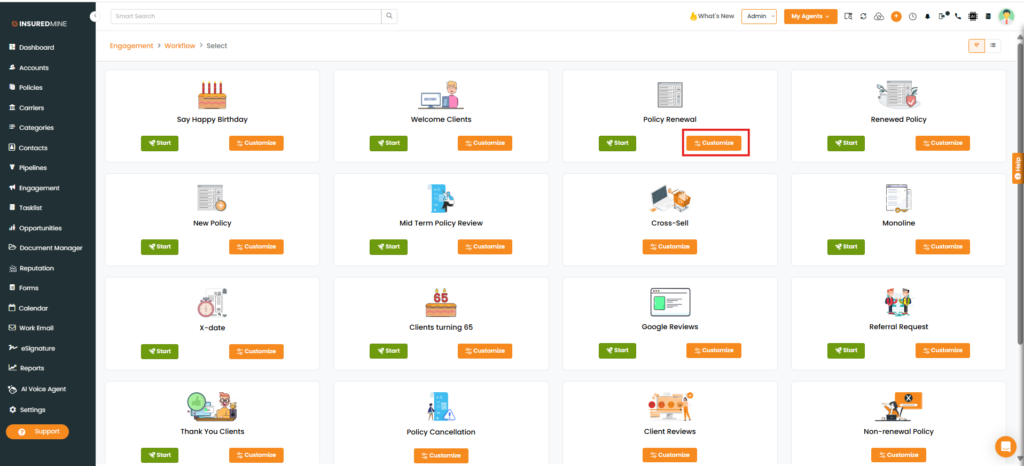
- The Engagement > Workflow page appears.
- Select the desired Workflow type.
- Click Customize.
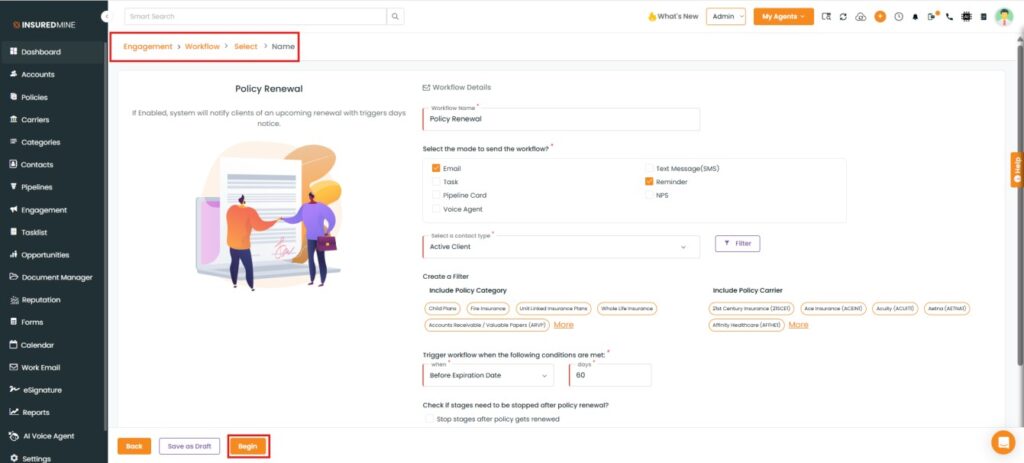
- The Workflow Details page appears.
- Fill in the required fields.
- Click Begin.
- The Drip Workflow page appears.
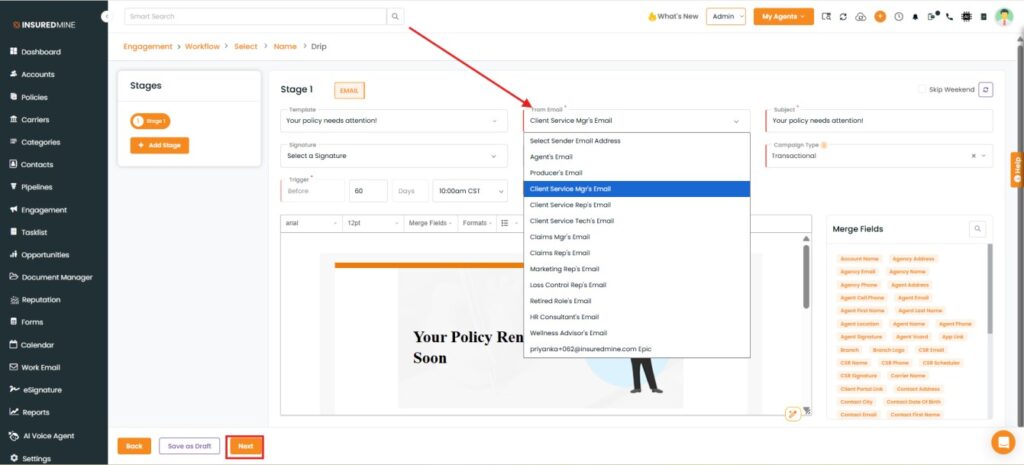
- As shown below, multiple servicing role options are available in the Sender Email dropdown.
- From the Sender Email dropdown, select the preferred servicing role.
- Click Next.
Note: When a Servicing Role is selected as the sender, the workflow automation emails are triggered using the email address associated with the selected servicing role assigned to the record.