Release Date: July 15, 2026
This enhancement is available to Admins and Agents.
Overview
We have introduced a new enhancement in the Engagement module that allows users to apply Servicing Roles as a filter in Workflow Automation. Users can now select the required servicing roles while configuring filters
Use Case: This enhancement helps agencies create more targeted workflow automations by allowing users to filter records based on specific servicing roles. By selecting the relevant servicing roles, users can ensure that workflow actions and communications are applied only to records associated with the chosen roles, improving workflow accuracy and reducing manual effort.
Note: This feature applies only to EPIC agencies.
To view the enhancement:
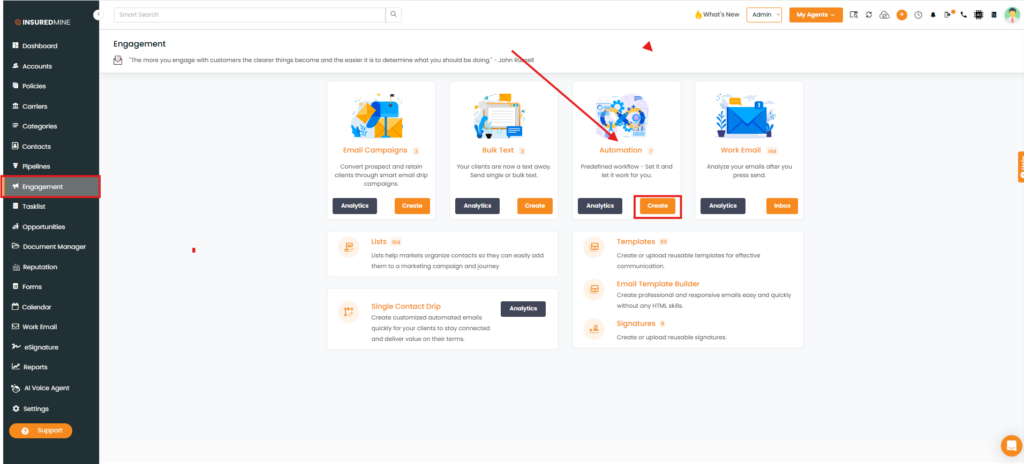
- Navigate to Engagement.
- From Automation, click Create.
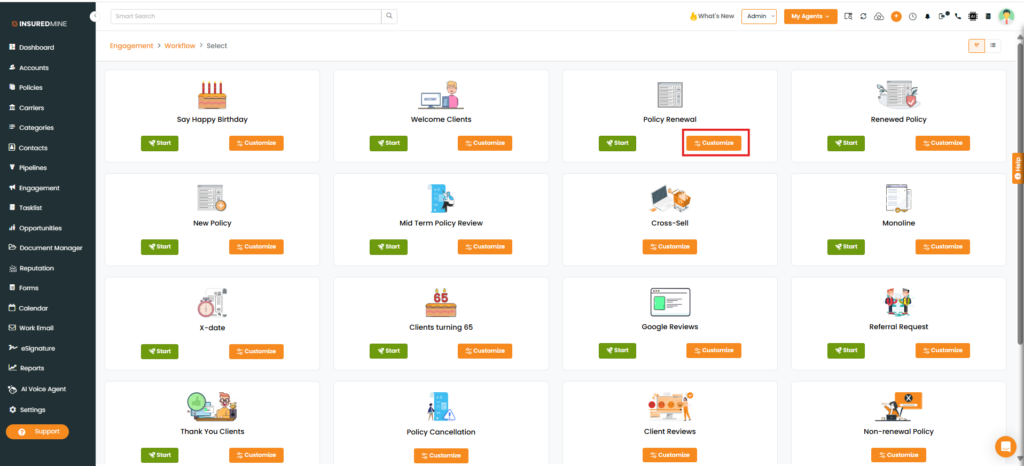
- The Engagement > Workflow page appears.
- Select the desired Workflow type.
- Click Customize.
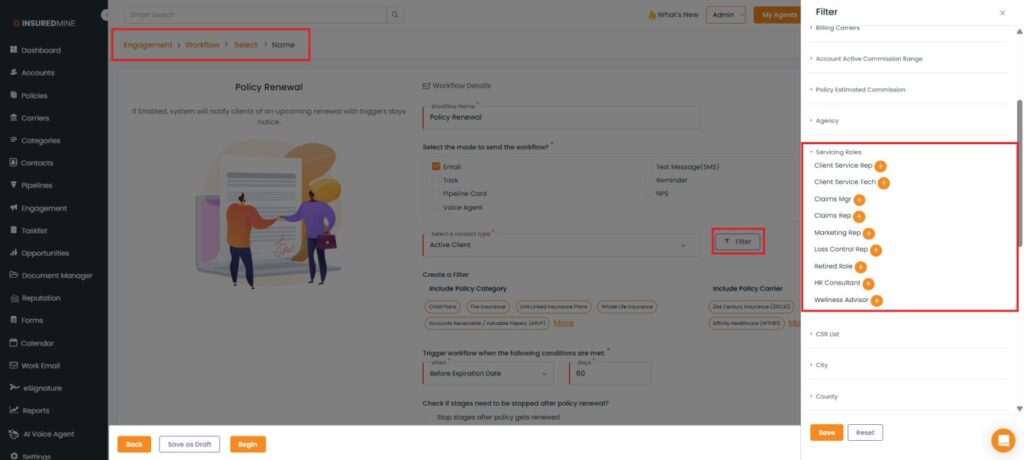
- The Workflow Details page appears.
- Click Filter.
- The Filter panel appears on the right-hand side.
- As shown below, a new Servicing Roles filter has been added.
How to Apply the Servicing Roles Filter?
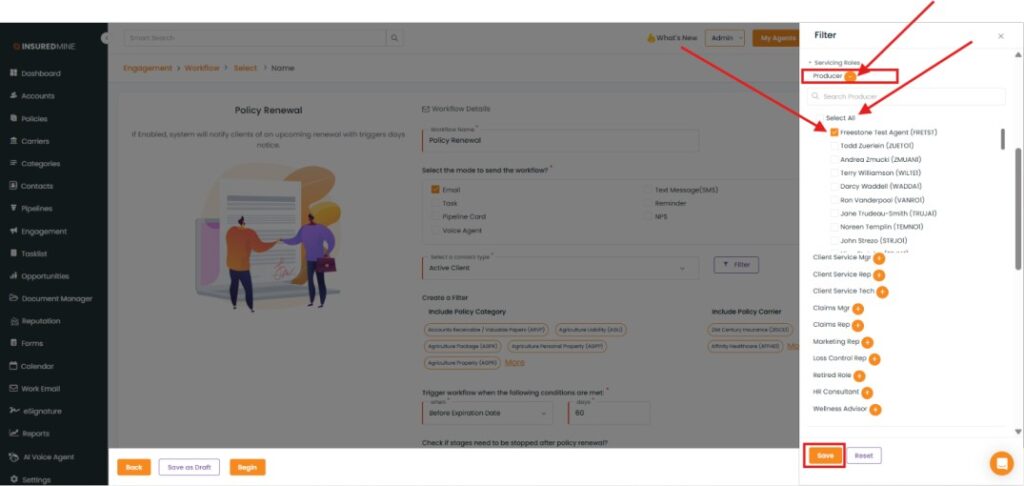
- From the Servicing Roles dropdown, select the preferred servicing role by clicking the (+) icon.
- The available options for the selected servicing role are displayed.
- Select the required option, or click Select All to include all available options.
- Click Save.