


Release Date: 10/22/2026
1. Overview
InsuredMine now supports assigning Pipeline Cards to users based on the servicing roles configured at the account level when a Pipeline Card is created through a workflow.
This feature allows users to select a servicing role in the workflow automation. When the Pipeline Card is created, the system checks the selected servicing role against the servicing roles configured on the associated account and assigns the card to the corresponding user, provided that the user exists in InsuredMine.
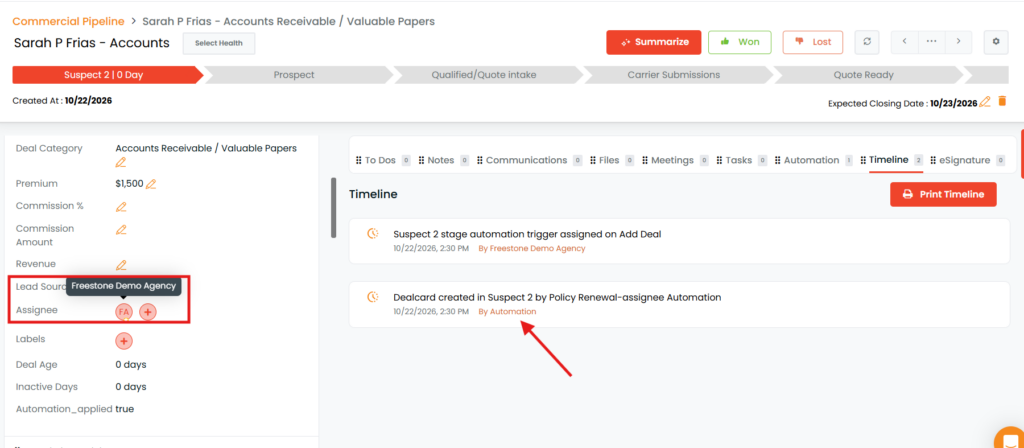
If the user assigned to the servicing role is not present in InsuredMine, the Pipeline Card will be assigned to the House Account.
This functionality helps streamline workflow-based assignments and ensures that Pipeline Cards are routed to the appropriate users.
2. How to Configure Servicing Role Assignment
Follow the steps below to create a Pipeline Card through a workflow using a servicing role.
Step 1: Navigate to the Engagement Module
- Log in to InsuredMine.
- Navigate to the Engagement module.
- Open Automation.
- Select the workflow in which you want to create the Pipeline Card.
For example, you can select a Renewal Workflow.
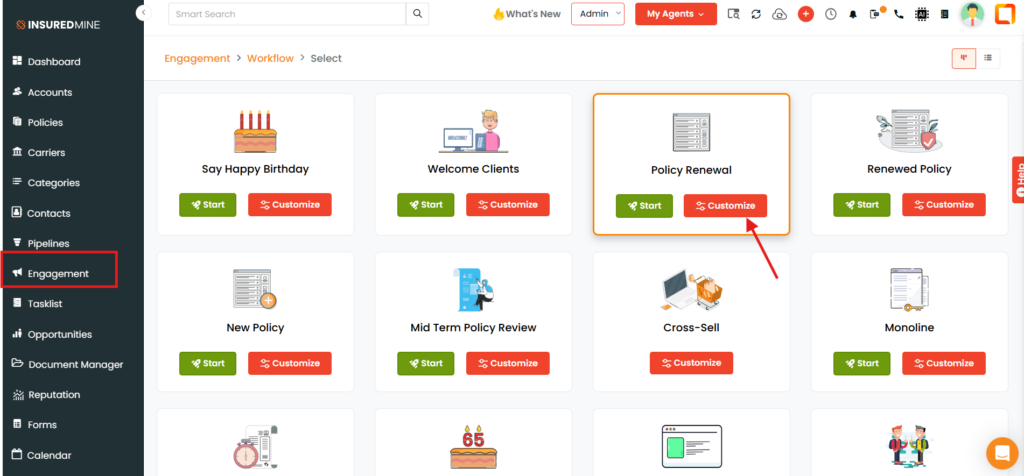
Step 2: Select Pipeline Card
- Open the selected workflow.
- On the first page of the workflow configuration, select Pipeline Card.
- Click Begin to proceed to the next page.
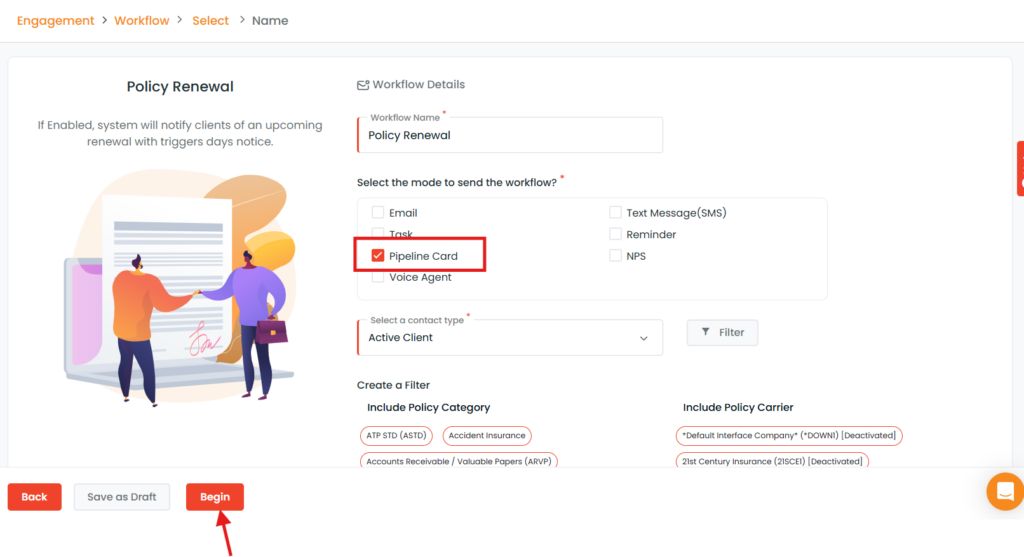
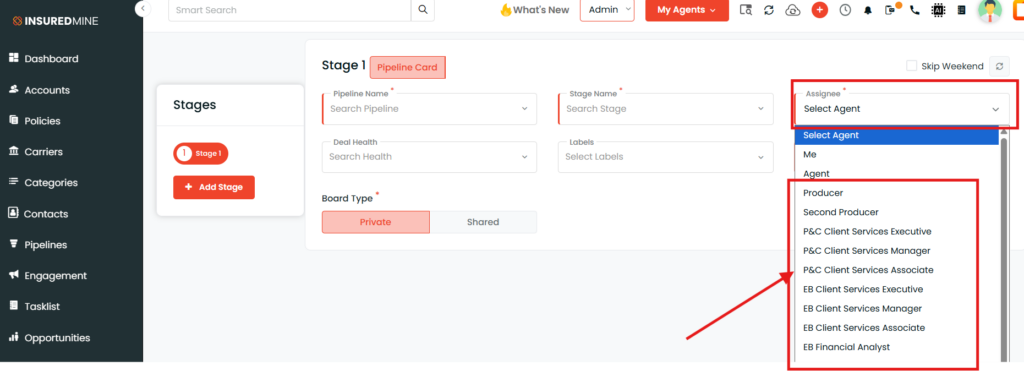
Step 3: Select the Servicing Role in the Assignee Field
- On the next page, locate the Assignee field.
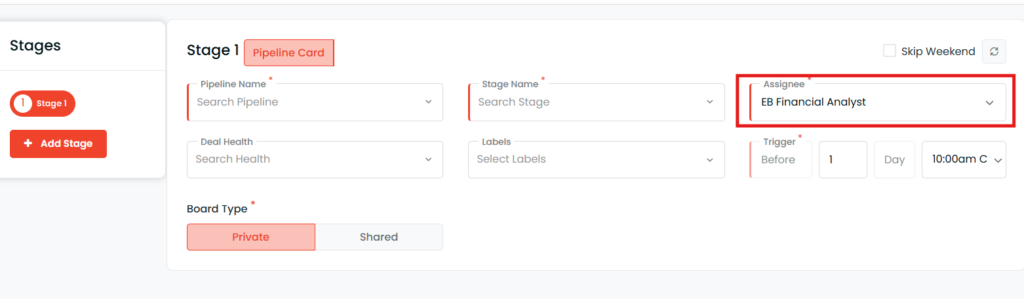
- Select the servicing role you want to use for assigning the Pipeline Card.
For example, if you want the Pipeline Card to be assigned to the user designated as the EB Financial Analyst at the account level, select the corresponding servicing role from the Assignee field.
3. Complete the remaining workflow configuration as required.
3. How Does the Assignment Work?
Once the workflow creates the Pipeline Card, InsuredMine determines the assignee based on the selected servicing role and the associated account.
The assignment process works as follows:
- Identify the account: The system identifies the account associated with the Pipeline Card being created.
- Check the servicing role: The system checks the selected servicing role against the servicing roles configured on that account.
- Identify the assigned user: If a user is assigned to that servicing role and the user exists in InsuredMine, the Pipeline Card is assigned to that user.
- Apply the fallback assignment: If the user assigned to the servicing role does not exist in InsuredMine, the Pipeline Card is assigned to the House Account.
5. Important Notes
- The servicing role must be selected in the workflow’s Assignee field.
- The assignment is determined by the servicing role configured at the account level
- If the user assigned to the selected servicing role does not exist in InsuredMine, the Pipeline Card is assigned to the House Account.
- This functionality applies to Pipeline Cards created through the configured workflow.
6. Summary
With account-level servicing role-based assignment, InsuredMine enables workflow-created Pipeline Cards to be assigned automatically to the appropriate user based on the servicing roles configured on the associated account. This reduces manual assignment efforts and provides a consistent assignment process, with the House Account serving as the fallback when the servicing-role user is not available in InsuredMine.


