Home » Knowledge Base » Ability to Filter using Servicing Roles in Pipeline
User Preferences and Settings
Ability to Filter using Servicing Roles in Pipeline
September 4, 2026
Release Date: 08/25/2026 This enhancement is available to Admins and Agents.
Overview
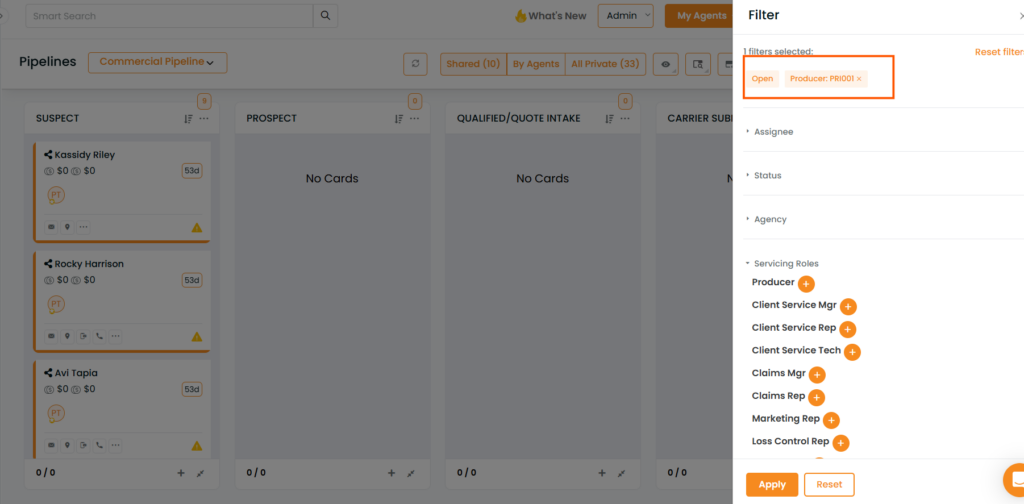
The Servicing Roles filter in the Pipeline module allows users to filter deal cards based on the servicing role associated with the account.
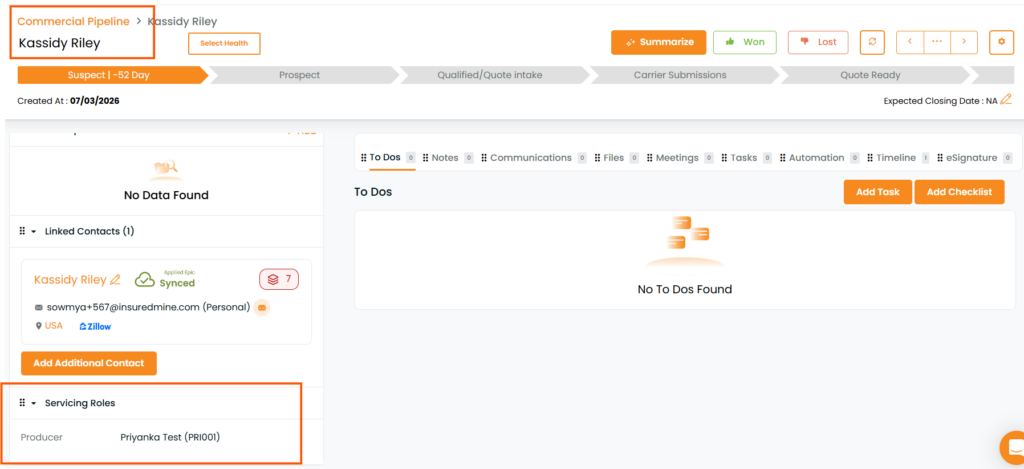
If servicing role information is available at the account level and a deal card has been created for that account, users can use the Servicing Roles filter to quickly identify the relevant deal cards.
Steps to Use the Servicing Roles Filter
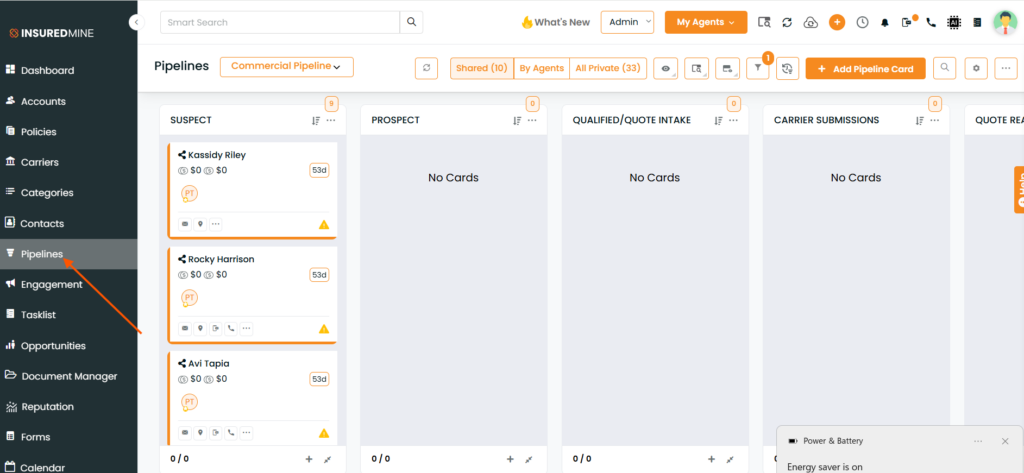
Navigate to the Pipeline module.
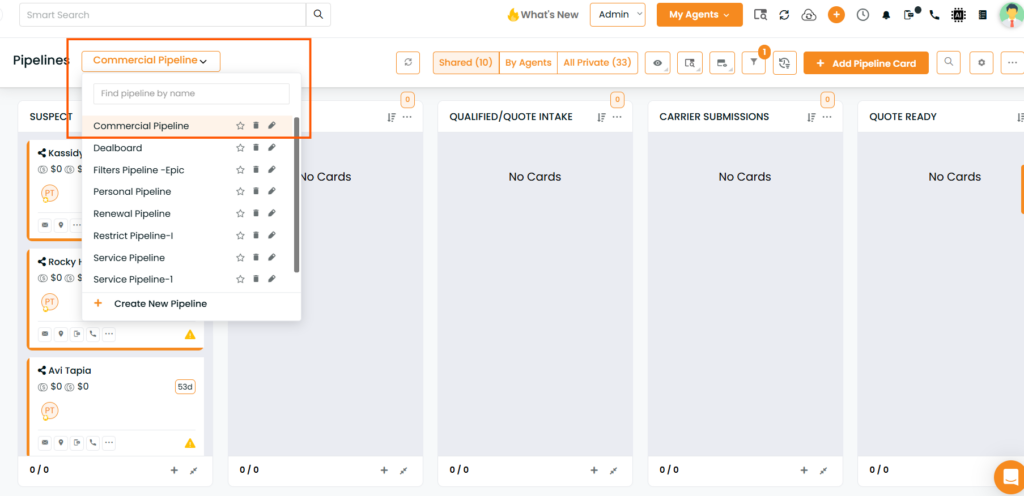
2. Open the Pipeline where you want to filter the deal cards.
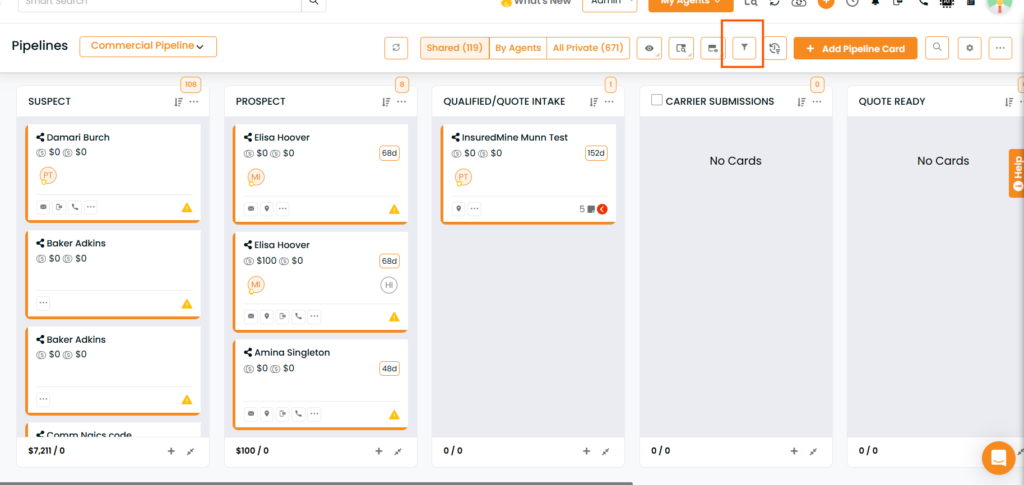
3.Click on Filters.
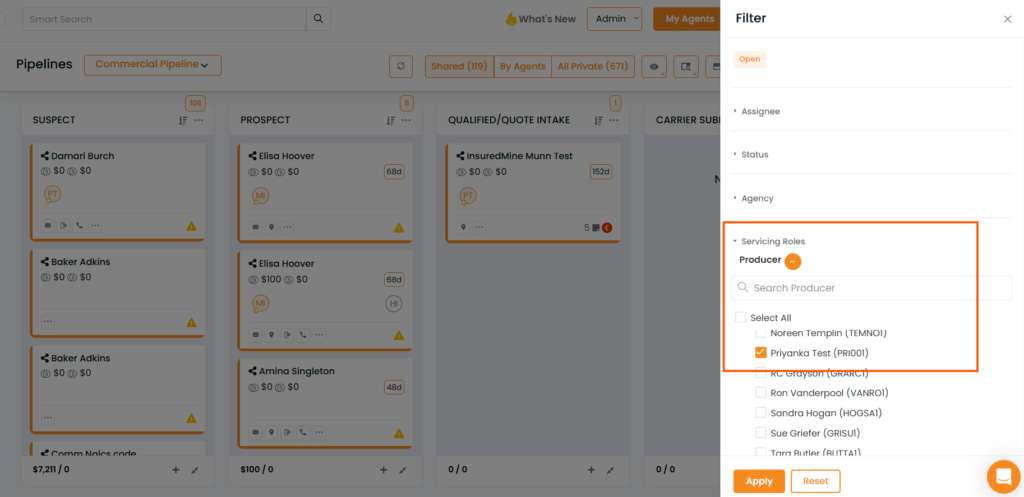
4. Locate the Servicing Roles filter. 5. Select the required servicing role(s).
6. Apply the filter.
The Pipeline will display the deal cards associated with the selected servicing role(s).
Prerequisites
For the Servicing Roles filter to return the expected results:
The servicing role should be present on account level.
The corresponding deal card must be created for the account in the Pipeline..
Example
For example, if an account has a servicing role such as Producer, or another configured servicing role, users can select that role from the Servicing Roles filter.
The Pipeline will then show the relevant deal cards associated with accounts where that servicing role is present.
Key Benefit
This enhancement provides a more efficient way to locate and manage Pipeline opportunities based on servicing responsibilities, without having to manually review individual deal cards. Note: The available servicing roles in the filter are based on the servicing role information present in the accounts.