


Release Date: 28 May 2026
This enhancement is available to the following users:
- Admins
- Managers
- Agents
- CSRs
Overview
We have introduced a new enhancement in the Pipeline module that allows users to hide or collapse pipeline stages based on user-level visibility preferences. This enhancement helps users customize their pipeline view by minimizing unnecessary stages and focusing only on relevant stage pipeline card information.
Use Case: This enhancement helps users customize their pipeline view by collapsing unnecessary stages and focusing only on relevant deals. It improves visibility, reduces screen clutter, and allows agents to manage pipeline activities more efficiently based on their preferences without confusion.
To view the enhancement:
- Navigate to Pipeline.
- As shown below, a new Collapse Stage icon has been added.
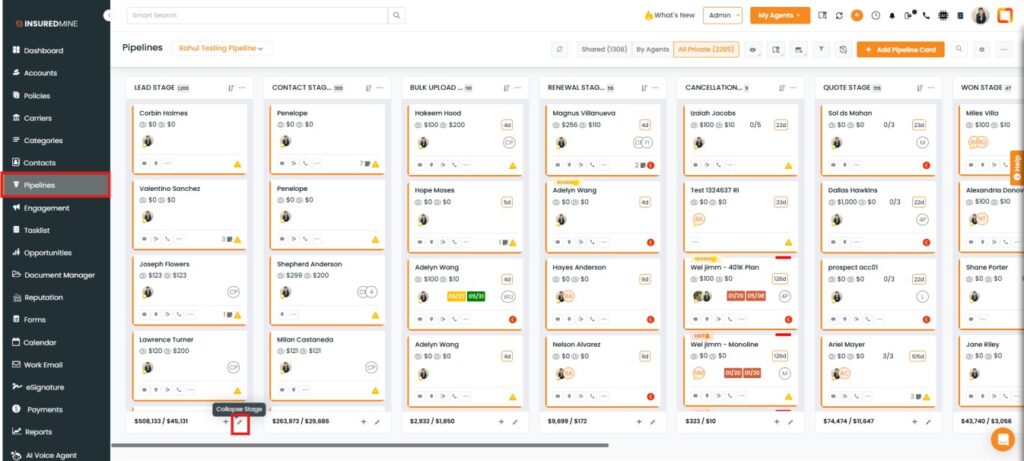
To Collapse a Stage:
- Click on the Collapse icon for the preferred stage.
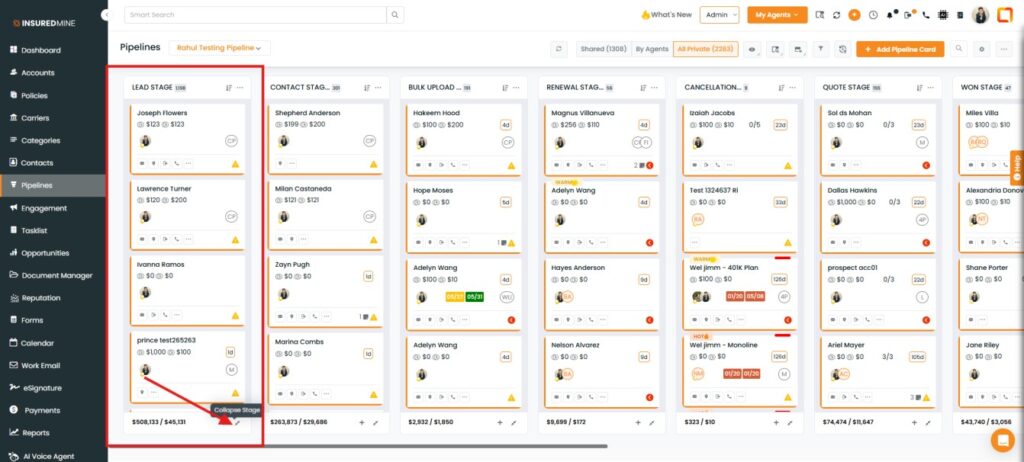
- As shown below, the selected stage(Lead Stage) is collapsed (hidden).
- Click on Expand Stage to unhide the stage.
Note: Users can select and collapse multiple stages based on their preference.
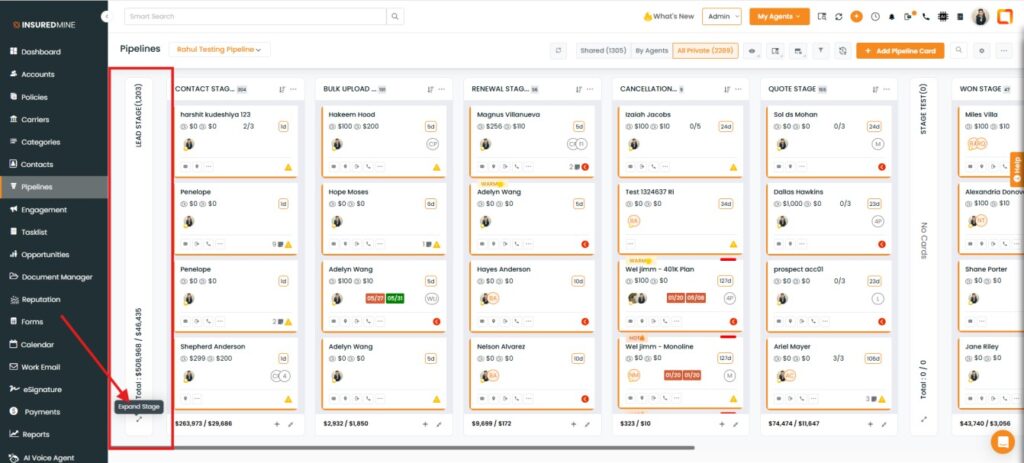
Note: The collapsed stage view is user-specific. Stages collapsed by an agent are visible only to that agent and not to other agents.


