We have introduced an enhancement in the Pipeline Settings that allows users to configure the Lead Quoted Stage. This helps in tracking leads that have been quoted and improves visibility in the dashboard.
Use Case: This feature helps users monitor the number of leads that have reached the quoted stage and analyze conversion progress.
It provides better insights into pipeline performance by displaying lead distribution across stages.
To view the enhancement:
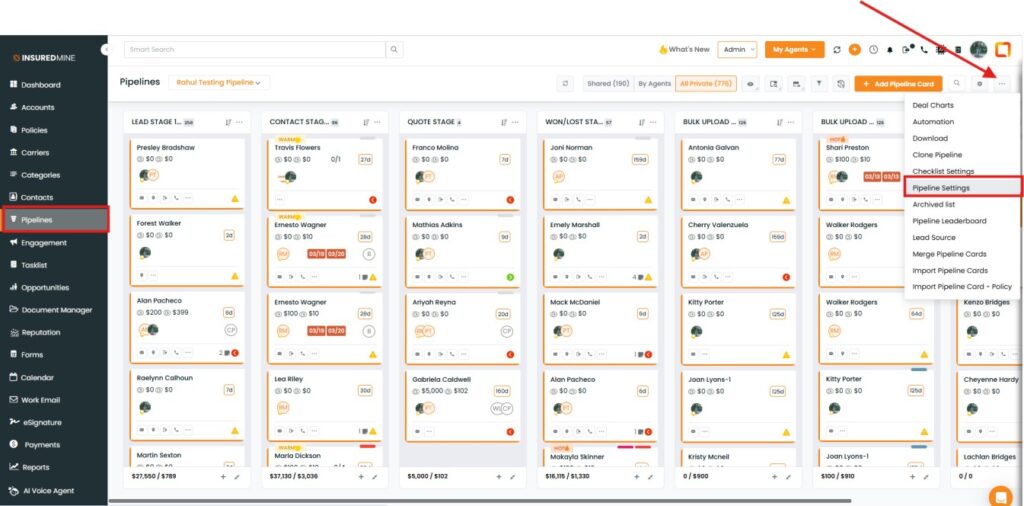
Navigate to Pipeline.
As shown below, click on the three dots.
From the dropdown, select Pipeline Settings.
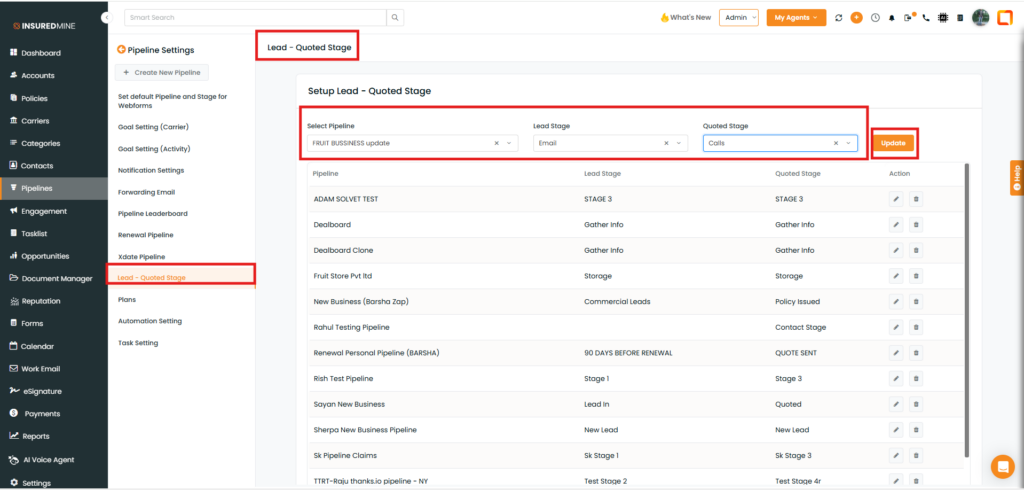
From the Pipeline Settings dropdown, select Lead Quoted Stage.
A Lead Quoted page is displayed.
As shown below, fill in the required details to set up the Lead Quoted Stage.
Click on Update.
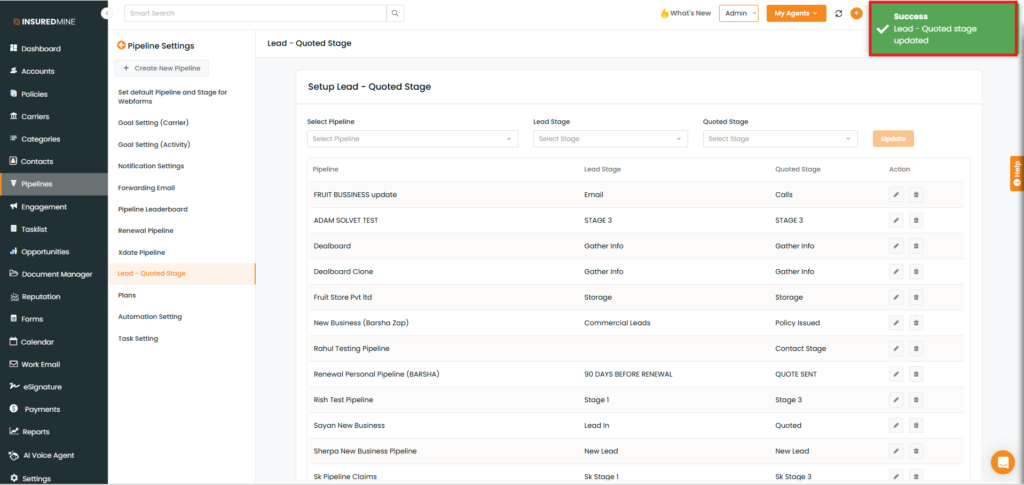
A success pop-up for the Lead Quoted Stage updated appears.
To view the result:
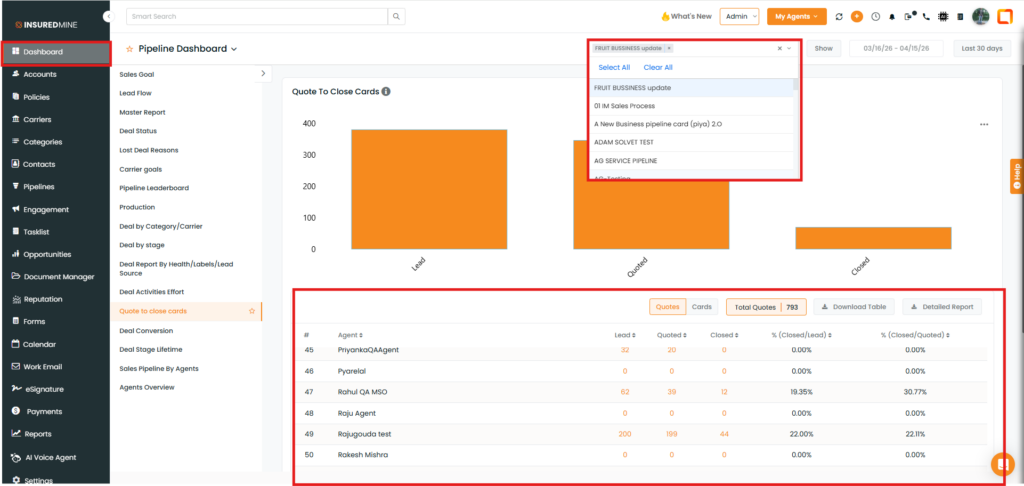
Navigate to Dashboard.
From the dropdown, select the preferred pipeline for which you have configured the stage.
The results for Leads, Quoted, and Closed, along with percentages, are displayed.