We have introduced an enhancement in Account360 that allows users to assign Single Contact Drips (SCDs) directly to an account. Users can assign a drip from the Communications tab, monitor its status within Account360, and track assigned accounts through the Analytics section in the Engagement module.
Use Case: This enhancement helps users quickly assign and track Single Contact Drips for accounts from a centralized location. By monitoring the drip status in Account360 and reviewing assignments in Engagement Analytics, users can manage drip campaigns more efficiently.
To view the enhancement:
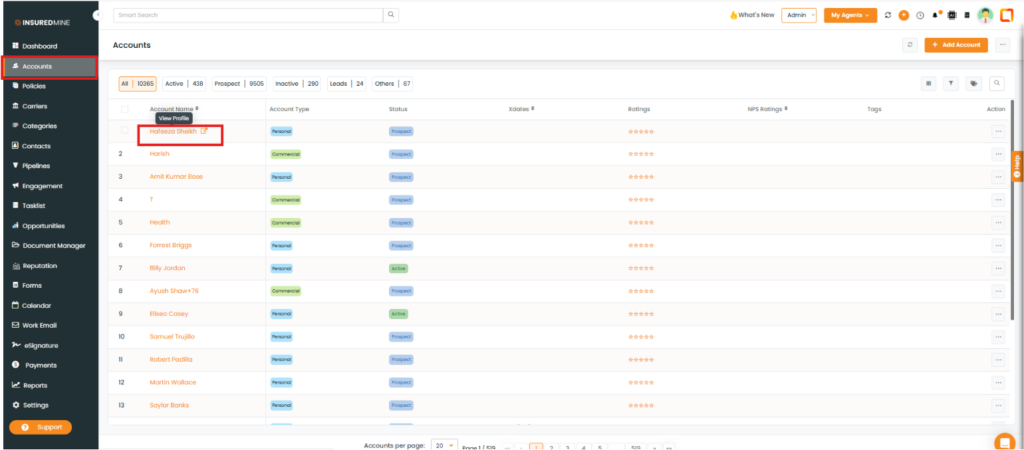
Navigate to the accounts module.
Click on an account and go to Account360.
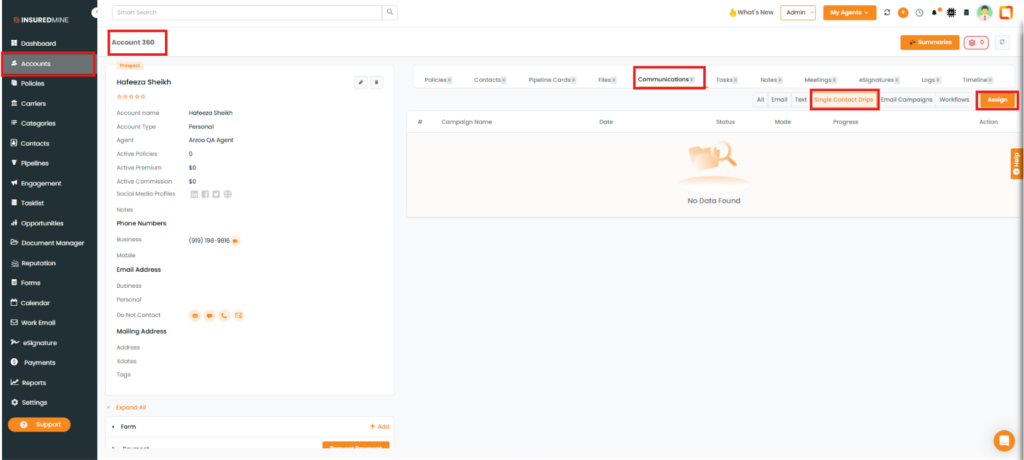
Go to the Communications tab and click on Single Contact Drip.
Click on Assign.
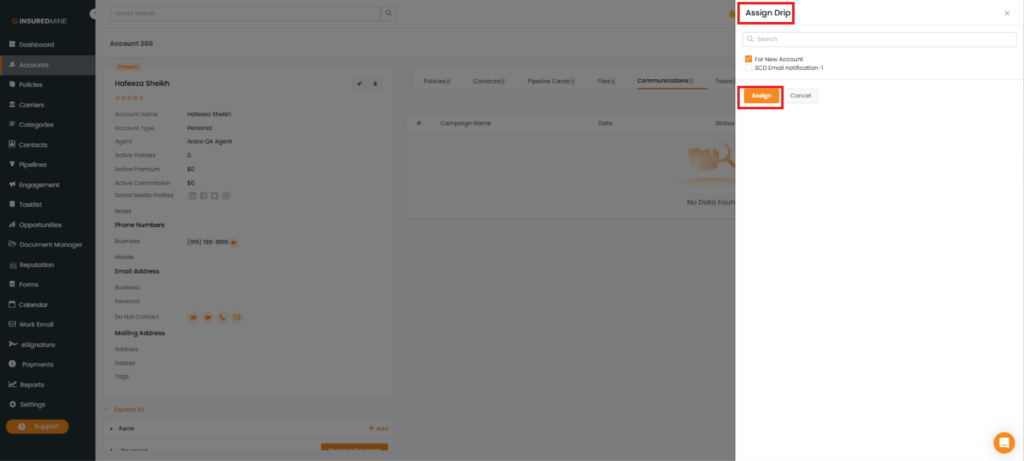
Select the drip and click on Assign.
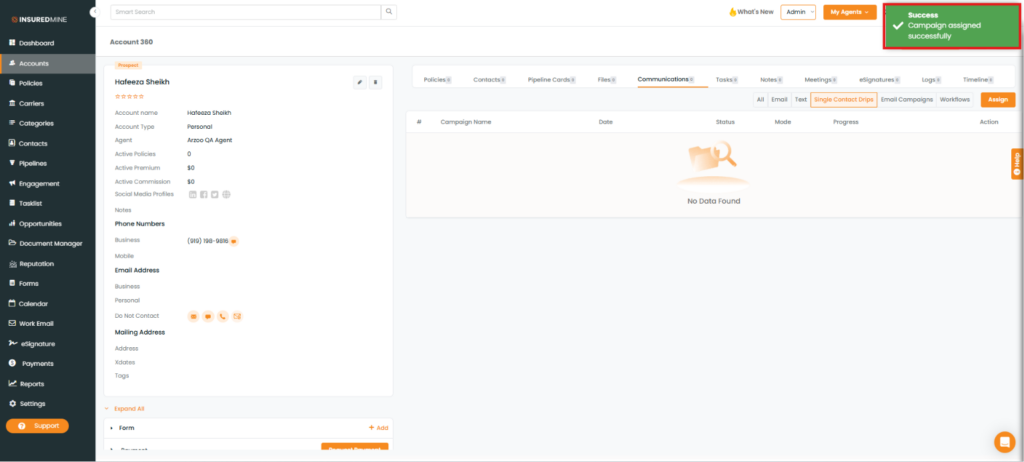
In the Account 360-Communication section, the Single Contact Drip tab displays the assigned SCD status.
A success pop-up, “Campaign Assigned Successfully,” appears.
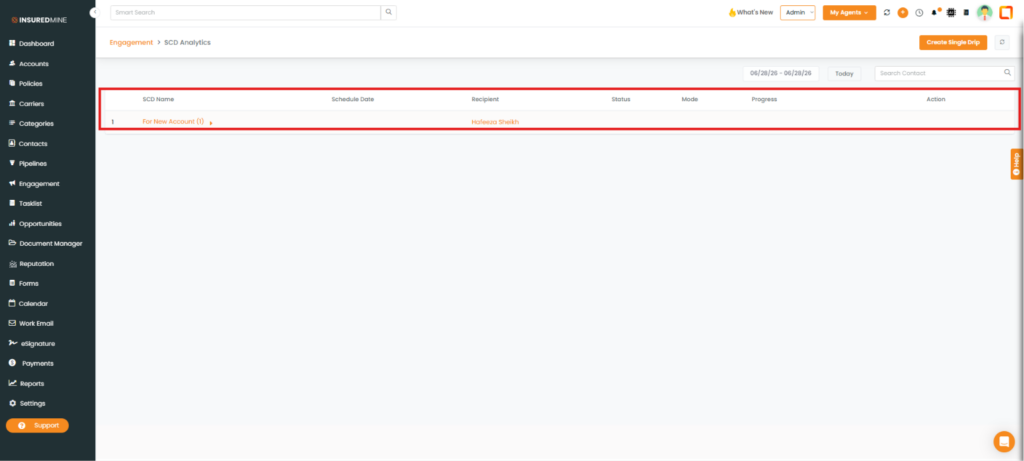
Note: You can view accounts that have been assigned to an SCD in the engagement module.
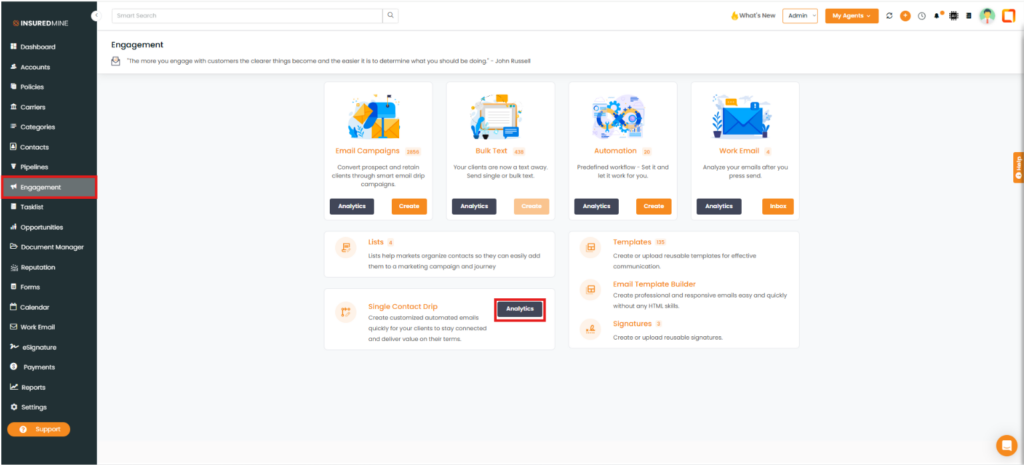
Navigate to the Engagement module. Scroll down to select Single Contact drips.
Click on Analytics.
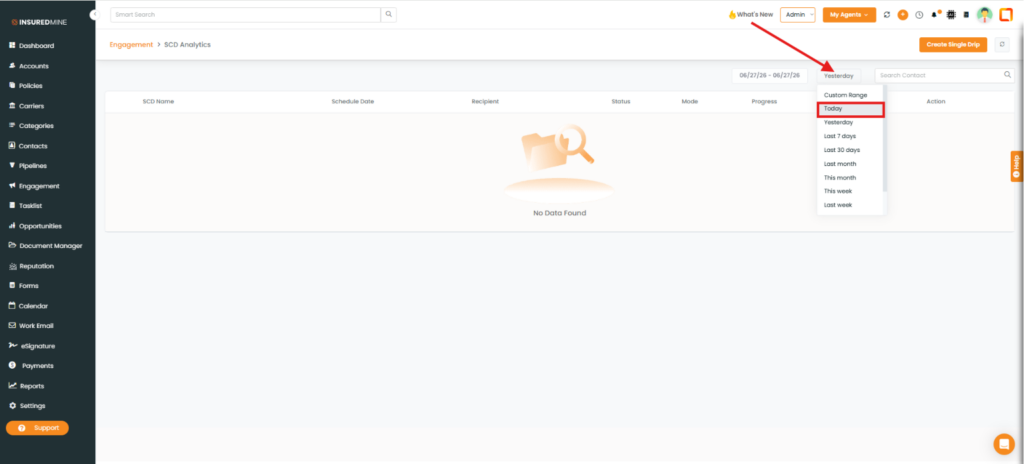
Select the Today checkbox and verify the assigned account by account name.