


Release Date: 11/13/2026
Overview:
InsuredMine allows you to schedule saved reports to be delivered to your email daily, weekly, or monthly.
Previously, scheduled reports did not have a time zone selection option. This could cause reports to arrive at unexpected times for users operating in different US time zones.
With the time zone selection option, you can choose your preferred time zone while scheduling a report. InsuredMine uses the selected time zone to determine when the scheduled report is delivered.
Prerequisites:
- You must have access to the Reports module.
- You must have a saved report that you want to schedule.
Use Case
Use this feature when you want to receive scheduled reports at a specific time according to your regional time zone.
For example, if you want to receive a report at 10:00 AM Central Time, you can select Central Time while scheduling the report. The report will be scheduled according to the selected time zone rather than an unintended time difference.
Steps to Schedule a Report Using a Selected Time Zone
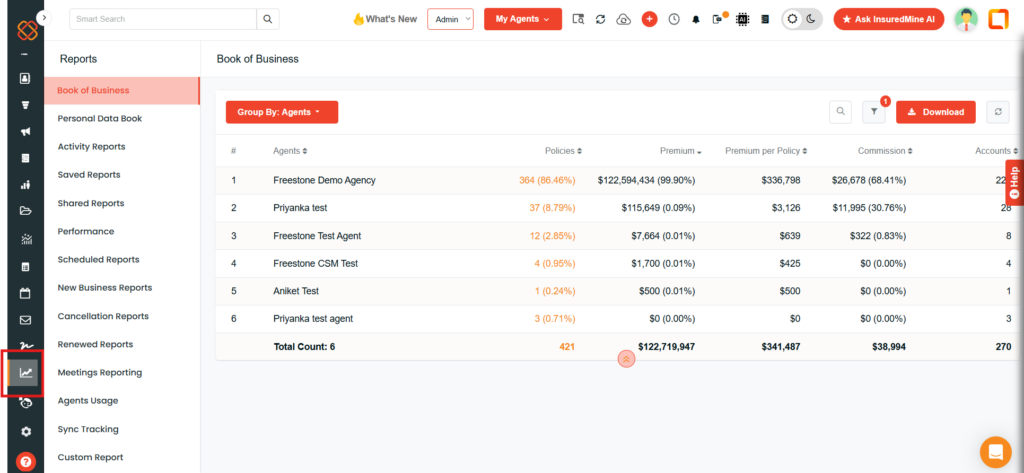
Step 1: Navigate to the Reports Module
- Log in to your InsuredMine account.
- Navigate to the Reports module.
Step 2: Open Saved Reports
- Navigate to Save Reports.
- Select the report you want to schedule.
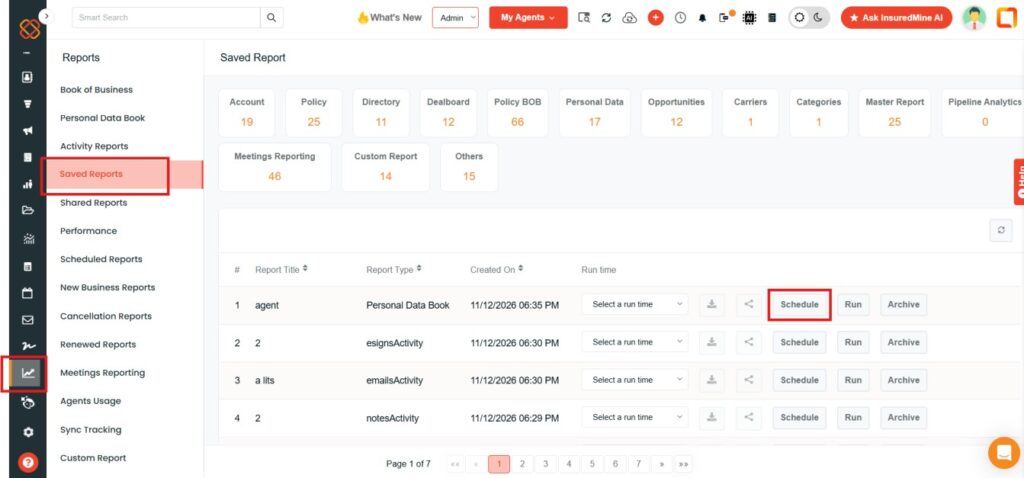
Step 3: Open the Report Scheduling Option
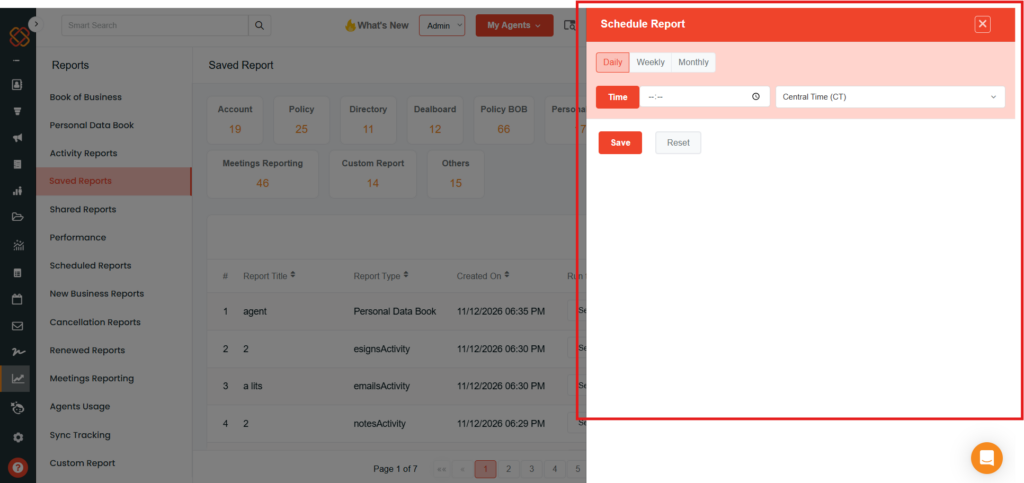
- Open the scheduling option for the selected saved report.
- Choose how frequently you want to receive the report.
You can select from the following scheduling frequencies:
- Daily: Receive the report every day.
- Weekly: Receive the report every week.
- Monthly: Receive the report every month.
Step 4: Select the Delivery Time
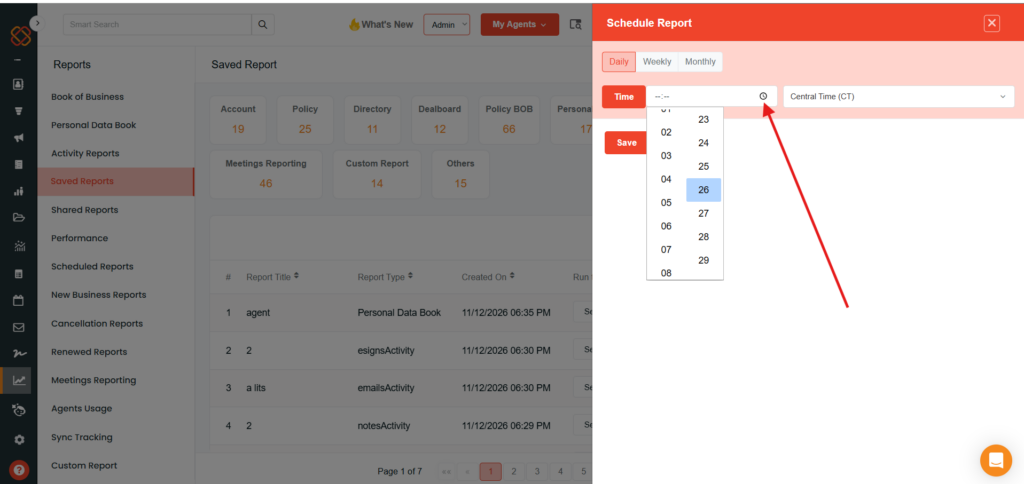
- Choose the time at which you want to receive the scheduled report.
- Make sure the selected time matches your reporting requirements.
Step 5: Select the Time Zone
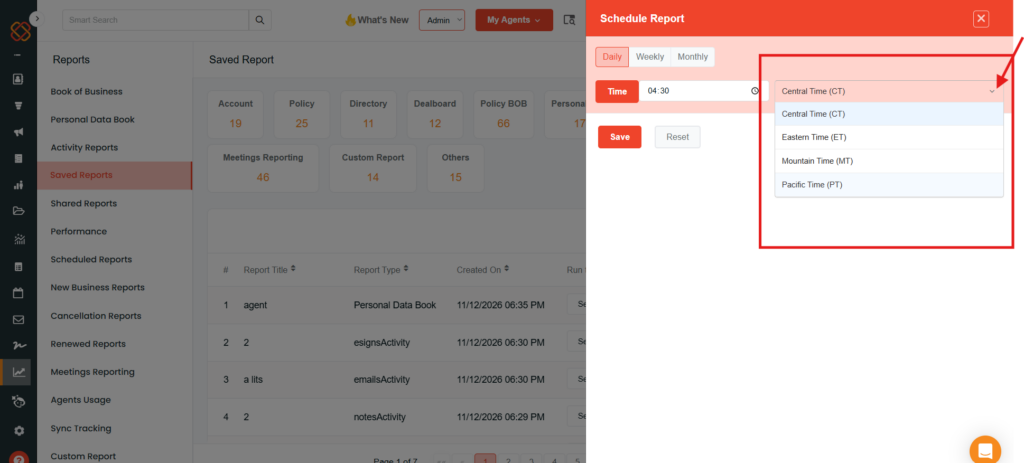
- Locate the Time Zone option in the scheduling settings.
- Select your preferred time zone from the available options.
The available time zones demonstrated are:
- Central Time (CT)
- Eastern Time (ET)
- Mountain Time (MT)
- Pacific Time (PT)
Step 6: Schedule the Report
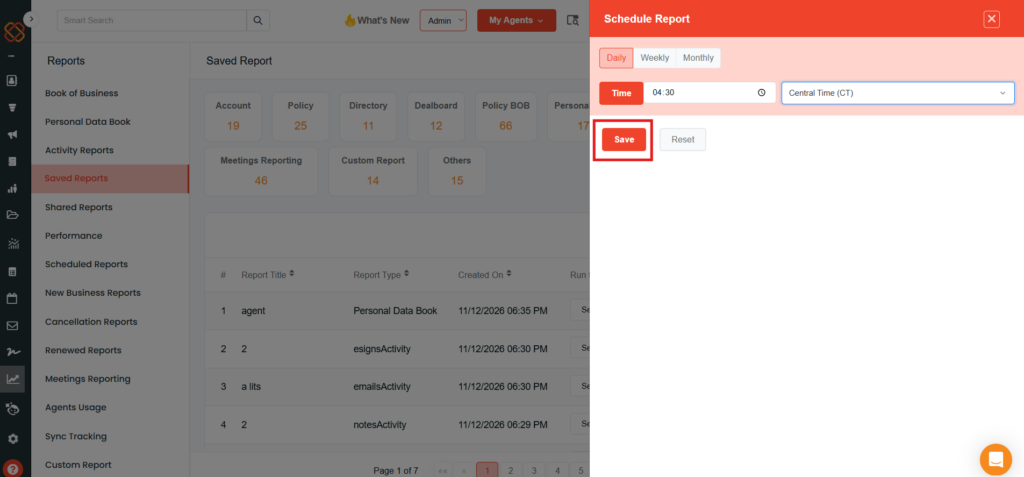
- Review the selected frequency, delivery time, and time zone.
- Save the report using the available scheduling action.
Your report will be delivered to your email according to the selected schedule and time zone.
Important Notes
- Time zone selection is available in the Reports module’s report scheduling workflow.
- The time zone option is available for daily, weekly, and monthly report schedules.
- The selected time zone determines the scheduled delivery time.
- The feature demonstrated includes four US time zones: Central, Eastern, Mountain, and Pacific.


