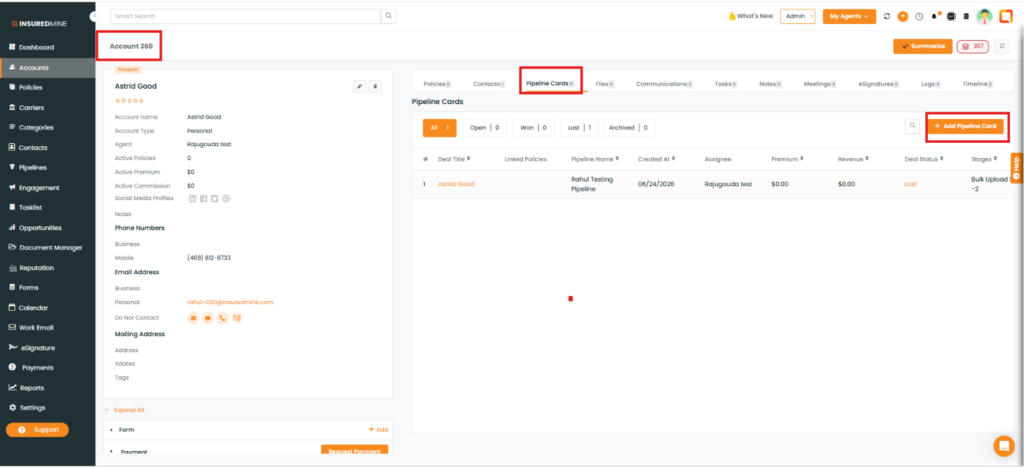
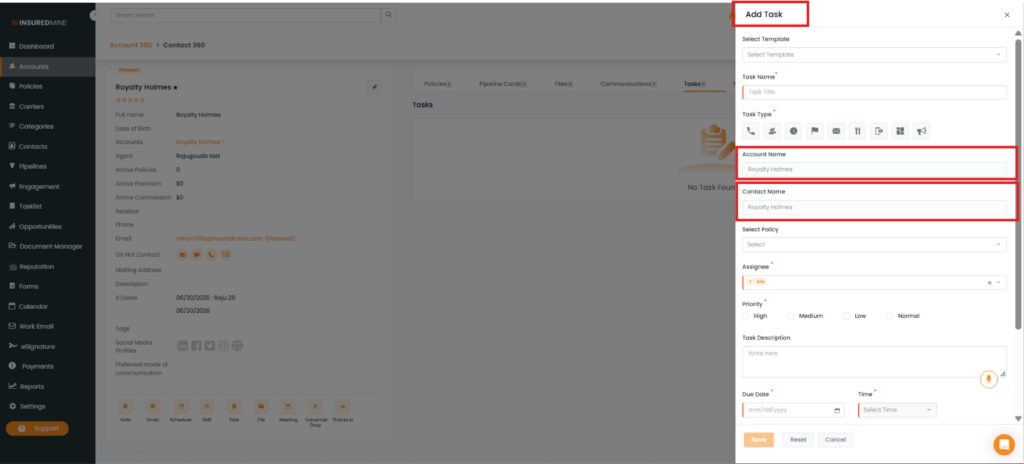
You can add deals and tasks from the account 360 section and while adding deals or tasks the account and contact name will get pre-populated.
Overview
We have introduced an enhancement that allows users to create deals and tasks directly from Account360. When creating a deal or task, the associated Account Name and Contact Name are automatically pre-populated, reducing manual data entry and improving efficiency.
Use Case: This enhancement helps users quickly create deals and tasks from Account360 without manually entering the Account Name and Contact Name. By automatically populating these fields, users can save time, reduce data entry errors, and streamline their workflow.
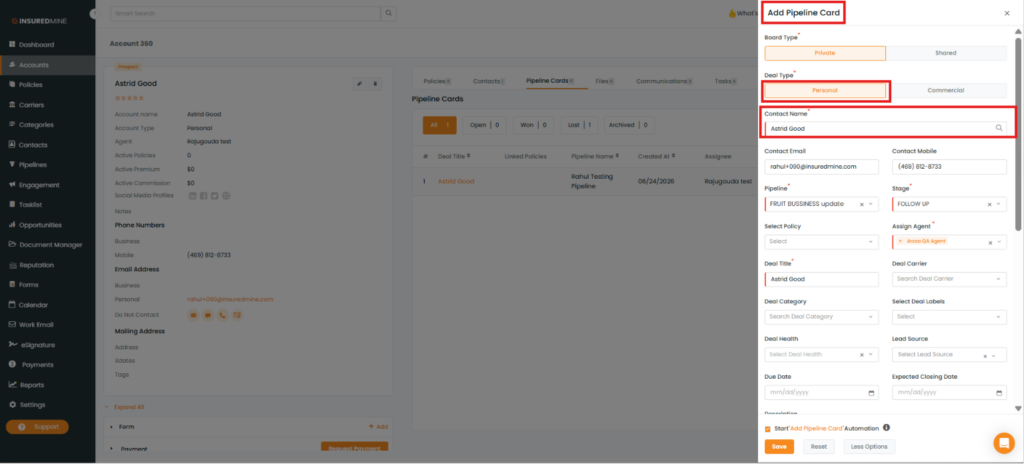
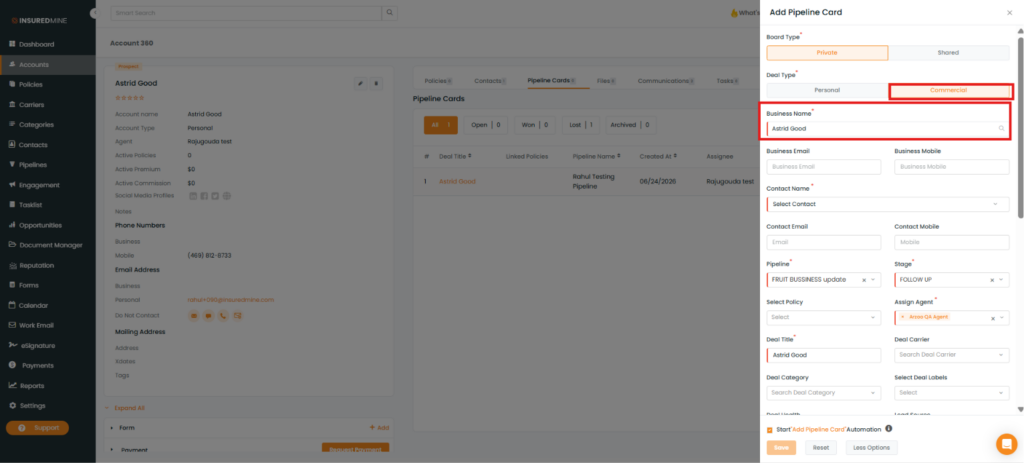
While adding a personal deal card there will be a contact name whereas while adding a commercial deal card you will have a business name along with a contact name ( here contact name is optional).
If any personal account is having a contact already, so while adding a deal card, the contact name will be pre-populated.
For commercial accounts, the business name will be pre-populated and if this account has contacts added then you will be able to select the contact associated with the account or any other contact linked to the account.
How to add tasks from account 360 and contact 360?
Navigate to account 360 of any account.
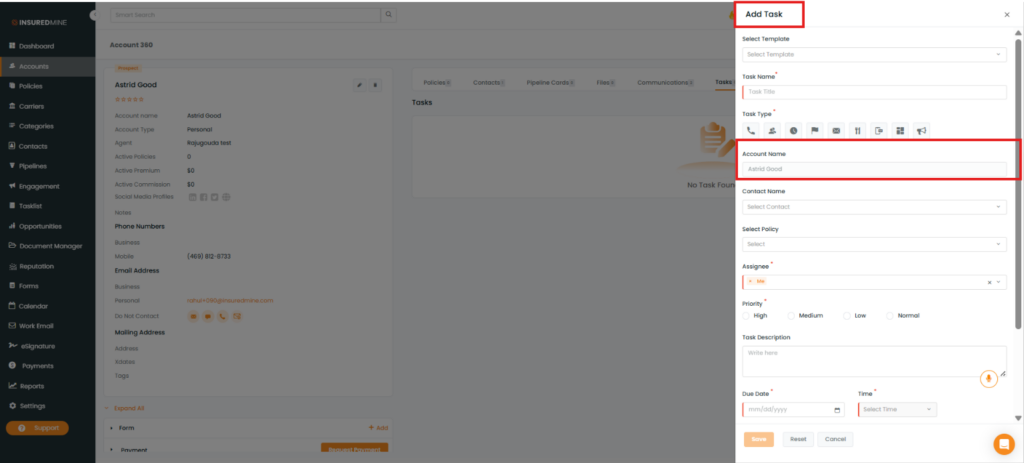
Click on add task option
While adding a task from the account 360 section the account name will get pr-populated.
Similarly while adding a task from contact 360, the contact and account details will get pre-populated.
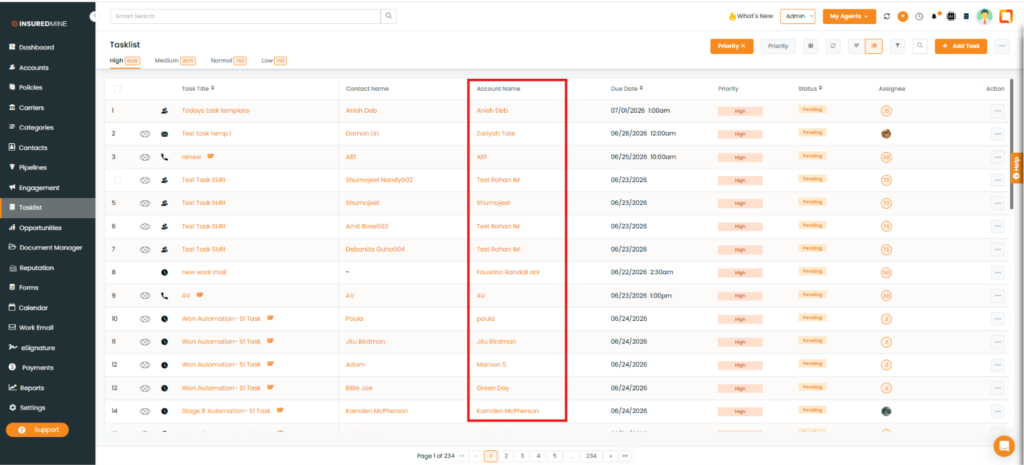
Account field in tasklist:
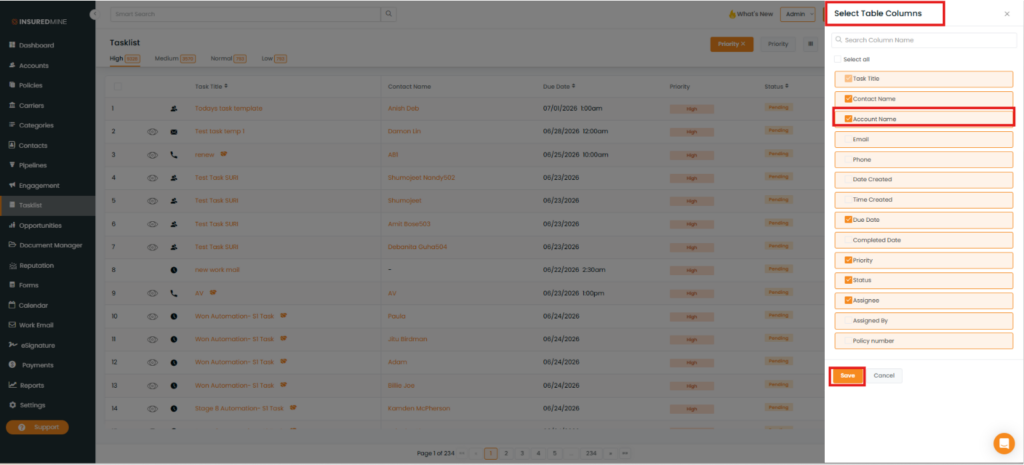
If you navigate to the task list page and click on the table column you will find the account name is unselected by default. If you select it the account details will be displayed in the table.
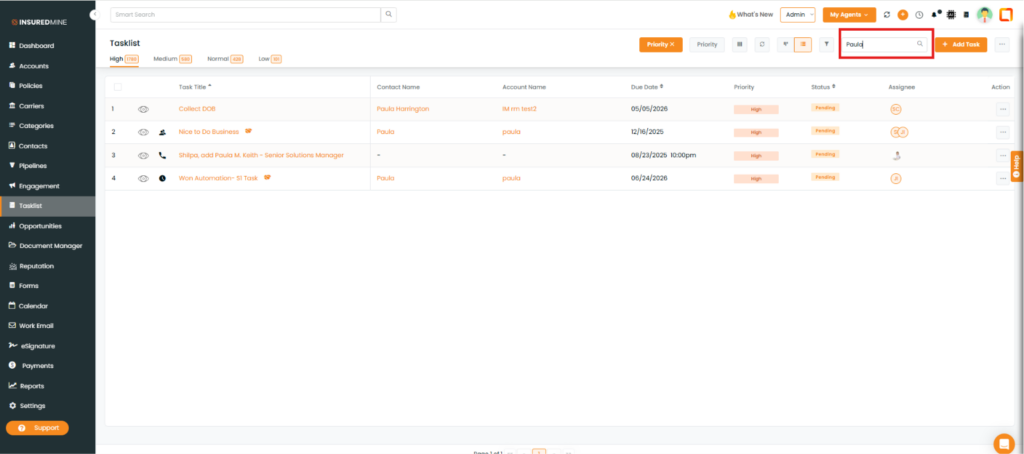
Account search option in task section:
If you click on any task you will find the account column there, you can search and add an account.