Release Date: September 19, 2023
An extra notes section while adding a deal, new contact and account360.
Overview
We have introduced an enhancement that allows users to add notes directly while creating a new deal or a new contact from the Directory/Contacts section. Users can also add and edit notes from Account360, making it easier to capture and maintain important client information.
Use Case: This enhancement helps users record important client information at the time of creating a deal or contact. By allowing notes to be added and updated from multiple locations, users can maintain complete and up-to-date records, ensuring important details are readily available for future reference and follow-up activities.

While adding a deal from Pipeline you can add notes in the description box.

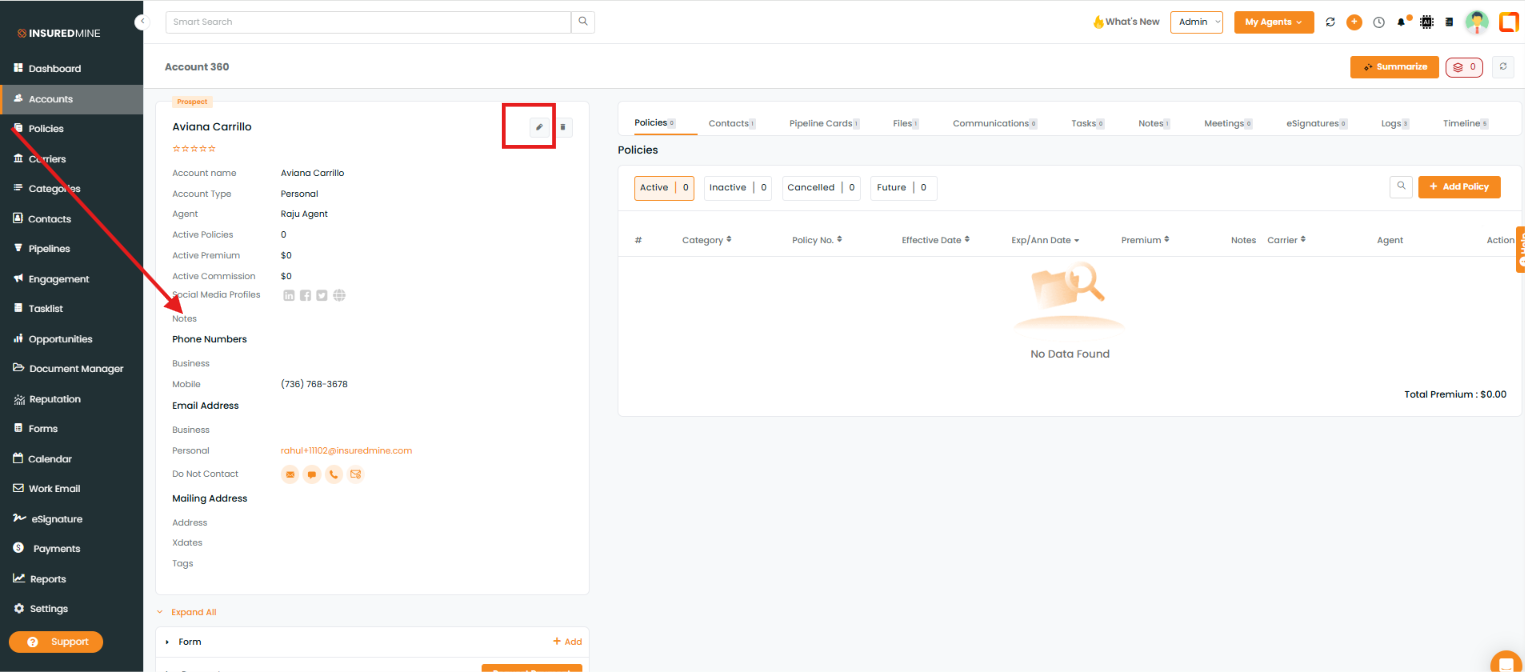
From the Account 360 section:
Note: You can also add and edit notes from Account360 by clicking the Edit icon next to the account name. An Edit Account panel opens, where notes can be added or updated.